
DINO live casino runs: log in → [라이브카지노] tab on the main lobby → lobby card → table → chip value and bet, with results under [베팅내역].
1. Log in and open the [라이브카지노] tab
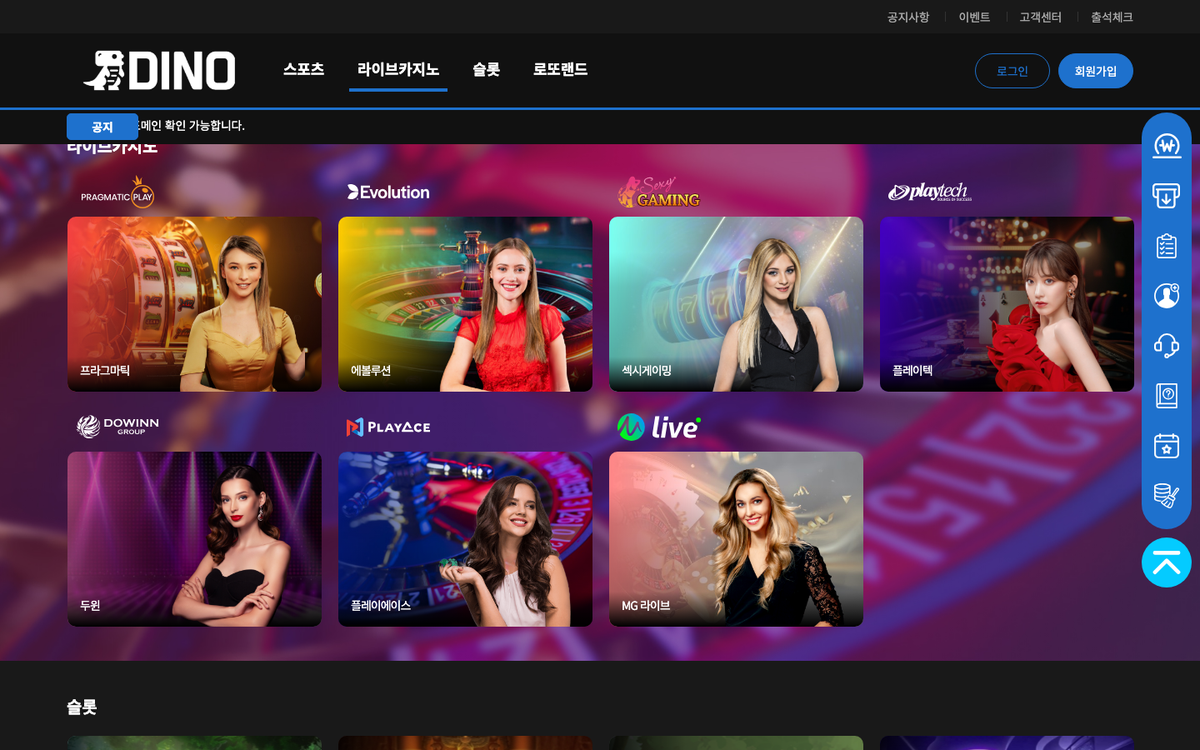 Log in at dino-333.com or dino-222.com and press [라이브카지노] at the top of the main lobby to jump to the live casino area with the Pragmatic, Evolution, Sexy Gaming, Playtech, Dowinn, PlayAce and MG Live cards.
2. Choose a lobby card
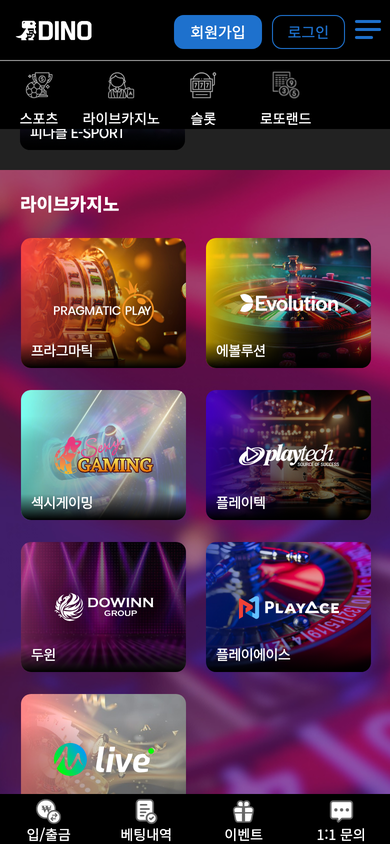 On mobile, tap [라이브카지노] in the icon menu to see the same lobby cards stacked vertically. Tapping a card opens the provider lobby with its table list.
3. Enter a table and bet
Choose the game type and table in the lobby to open the live stream. Pick a chip value inside the table and bet; if your balance is short, deposit first via [입금신청] in the top menu.
Bet results and settlements are listed under [베팅내역] (login required).
4. Wallets, comp (junket) rates and limits (logged-in notices, 2026-09-19)
The DINO casino rules notice splits the balance into a main wallet (deposits, withdrawals, all games), a points wallet (event and promotion points) and a comp wallet (casino and slot comps); points and comps can be withdrawn only after the assigned rolling, and comp accrual is capped at ₩10,000,000 per person per day.
Casino comps are paid as a junket rate on winning bets only (1.0% for new and bronze members up to 1.4% for VIP). Game-show win limits run from ₩50,000,000 (new, bronze) to ₩500,000,000 (VIP) and casino bet limits from ₩10,000,000 (new) to ₩30,000,000 (diamond), with a special limit for VIP. Evolution first-person games, blackjack, fan tan, hi-lo, Stock Market, Super Chili Epic Spins and Super Color Game, and Pragmatic crash games and blackjack, earn no comps.
After login the Evolution lobby loads on the evo-games.com domain; the Dowinn lobby calls hocagames.com, PlayAce xyzred.com and MG Live suarrest.com (Sexy Gaming produced no external request).
The bottom of the DINO main lobby shows notices, real-time withdrawal status and jackpot winners tables (the amounts in the withdrawal and jackpot tables are site-displayed records, not figures this guide verified independently), so you can see casino game names and notice titles even before logging in.
1. Tables at the bottom of the lobby
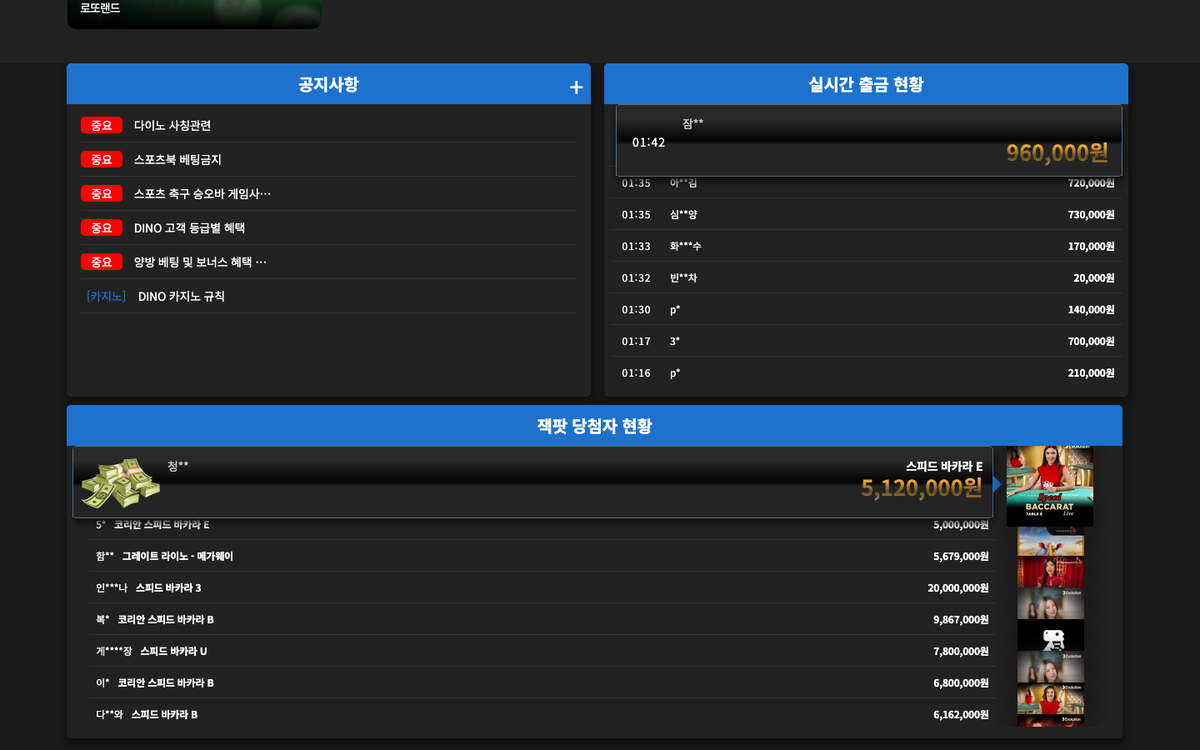 The notices table lists recent titles tagged [Important] and [Casino]; the jackpot winners table shows live table names such as Speed Baccarat, Lightning Baccarat and No Commission Baccarat, which hints at which tables are running.
2. The guide's [라이브카지노] tab
- Support → 이용 가이드 → [라이브카지노] tab shows each provider's introduction and game screen capture.
- Live tables run inside the provider's screen, so layouts differ per lobby; read the guide before trying a new lobby.
3. If something goes wrong
- If a lobby will not open, check that you are logged in; live casino requires login.
- For table errors or settlements contact Telegram @DINO_CS (24h) or use [1:1 문의].
- [캐시삭제] (Clear cache) in the desktop quick menu refreshes a stale screen.
DINO live casino providers
The seven providers in the live casino area of the main lobby, in lobby order.
1. Pragmatic Play – Pragmatic Play across live and slots

Pragmatic Play is a Gibraltar-headquartered B2B content supplier that says it delivers slots, live casino and several other verticals to online casino and sports operators through a single API. On DINO it is the first card in both the live casino and the slots area; pressing the card while logged out opens a game list window with a search box, and launching a game requires login.
- Lobby position 1 in both the DINO live casino and slots areas
- Card opens a game list with a search box while logged out (656 games)
- Gibraltar headquarters and a single API supporting 33 languages, per the official site
The live table list is only visible in the provider lobby after login, so it is not reproduced here. Pragmatic Play games seen in the DINO slots area
2. Evolution – Evolution live dealers on the DINO card

Evolution, formally Evolution AB (publ), is a B2B provider of casino content and technology that says it has pioneered online live casino since 2006. In the live casino area of the DINO main lobby it appears as the 에볼루션 card at lobby position 3; pressing the card while logged out leads to the login screen, and the lobby opens after login.
- Pioneering online live casino since 2006, per the official site
- All technology, software and hardware built in-house; over 2,000 live tables
- Lobby position 3 in the DINO live casino area
3. Sexy Gaming – Notes on the Sexy Gaming live card

Sexy Gaming is a live casino card shown at lobby position 4 in the live casino area of the DINO main lobby. Selecting the card while logged out moves to the login screen, and the live lobby opens only once logged in. No official site for the company operating this brand was verified.
- Lobby position 4 in the DINO live casino area
- Card logo Sexy GAMING with the Korean label 섹시게이밍
- Click while logged out leads to the login screen
4. Playtech – Playtech's two places, live and slots

Playtech is a platform, content and services provider to the online gambling industry, founded in 1999 and holding a premium listing on the London Stock Exchange Main Market, which says it supplies casino, live casino, poker, bingo and sports betting products through proprietary technology. On DINO the 플레이텍 card appears at lobby position 5 in the live casino area and position 9 in the slots area; pressing it while logged out opens a game list window with a search box, and games launch only after login.
- Founded in 1999 with a premium listing on the London Stock Exchange Main Market, per the official site
- Lobby position 5 in the DINO live casino area and position 9 in the slots area
- Card opens a game list with a search box while logged out (362 games)
The live table list is only visible in the provider lobby after login, so it is not reproduced here. Playtech games seen in the DINO slots area
5. DOWINN – Philippine group DOWINN's DINO live card

DOWINN presents itself on its official site as an integrated leisure and entertainment group headquartered in Parañaque City, Metro Manila, active in the Philippines since 2014 across casino, VIP club and content development divisions. In the live casino area of the DINO main lobby it appears as the 두윈 card at lobby position 6; pressing the card while logged out leads to the login screen, and the lobby opens after login.
- Head office in Parañaque City, Philippines, active since 2014, per the official site
- Group structure spanning PAGCOR-licensed casinos, VIP clubs and the WINNTECH content division
- Lobby position 6 in the DINO live casino area, with the logo reading DOWINN GROUP
6. PlayAce – A closer look at the PlayAce card

PlayAce is a live casino card placed at lobby position 7 in the live casino area of the DINO main lobby. Clicking the card while logged out brings up the login screen, and the live lobby opens once login is complete. No official site for the supplier using this name could be verified.
- Lobby position 7 in the DINO live casino area, middle card of the second row
- Card logo PlayAce with the Korean label 플레이에이스
- Click while logged out leads to the login screen
7. MG Live – MG Live at the end of the live row

MG Live is the card placed last in the second row of the live casino area of the DINO main lobby, at lobby position 8. Pressing it while logged out leads to the login screen and the lobby opens only after login, so the table list cannot be checked beforehand. No official site for the company behind this card was verified.
- Lobby position 8 in the DINO live casino area, last card of the second row
- Card logo: a circular mark with lowercase live; label MG 라이브
- Click while logged out leads to the login screen