
DINO slots run: log in → [슬롯] tab on the main lobby → provider card → search → [게임 실행], with results under [베팅내역].
1. Log in and open the [슬롯] tab
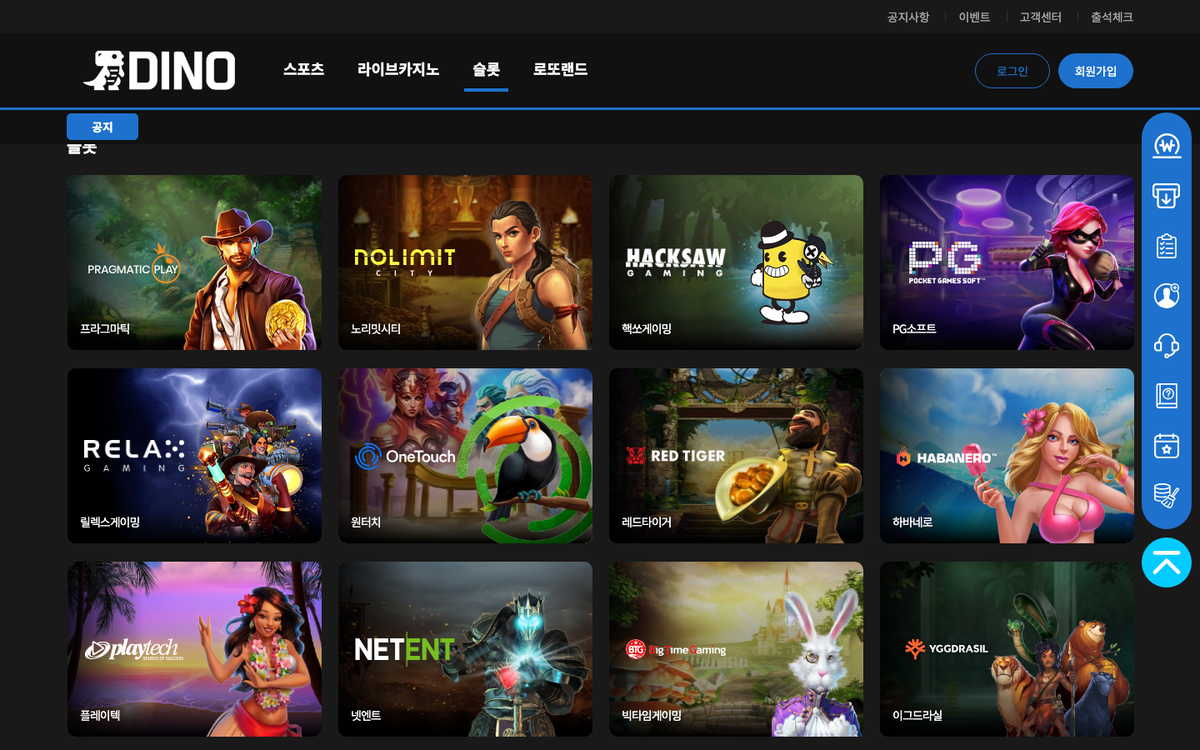 Log in at dino-333.com or dino-222.com and press [슬롯] at the top of the main lobby to jump to the slots area. Provider cards sit in a four-column grid with the provider name in Korean under each card.
2. Choose a provider card
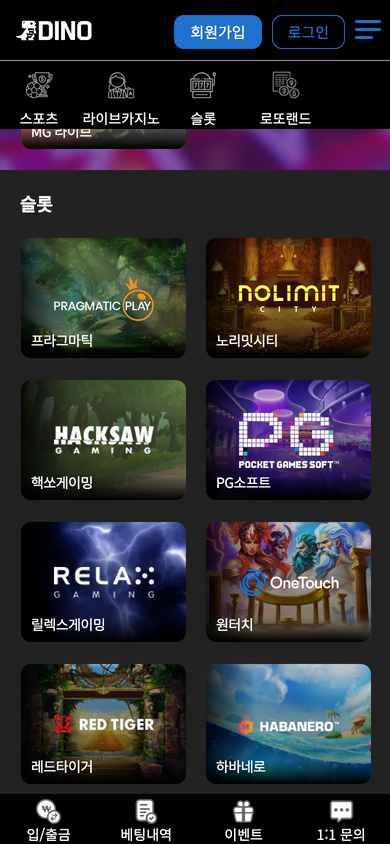 On mobile, tap [슬롯] in the icon menu to see the provider cards in two columns. Tapping a card opens that provider's game list.
3. Search and launch
The game list has a search box plus [게임 실행], [즐겨찾기 담기] and [정보] (Info) buttons. Search by game name and press [게임 실행] to open the provider window and spin with your balance.
If your balance is short, deposit first via [입금신청]; results are listed under [베팅내역] (login required).
4. Slot comps, bonuses and prohibited play (logged-in rules, 2026-09-19)
The Slots tab of the betting rules accrues 2% of every slot bet as comps (up to ₩10,000,000 per day) which can be exchanged after 100% rolling. Grinding rolling with tiny bets, auto-clickers, macros or bots is prohibited; bets are voided, funds confiscated and the account suspended.
The slot deposit event pays 20% on the first deposit after sign-up (500% rolling, up to ₩500,000), 10% on the first deposit (300% rolling, up to ₩300,000) and 5% on re-deposits (200% rolling, up to ₩200,000) as slot-only points; using them on casino or sports forfeits everything. The rate event states that some 'malicious' slot games earn no comps without naming them.
Slot-related events appear under the [슬롯] filter of the DINO events list and as 'Slot Time' on the Time Market banner.
1. The [슬롯] filter in the events list
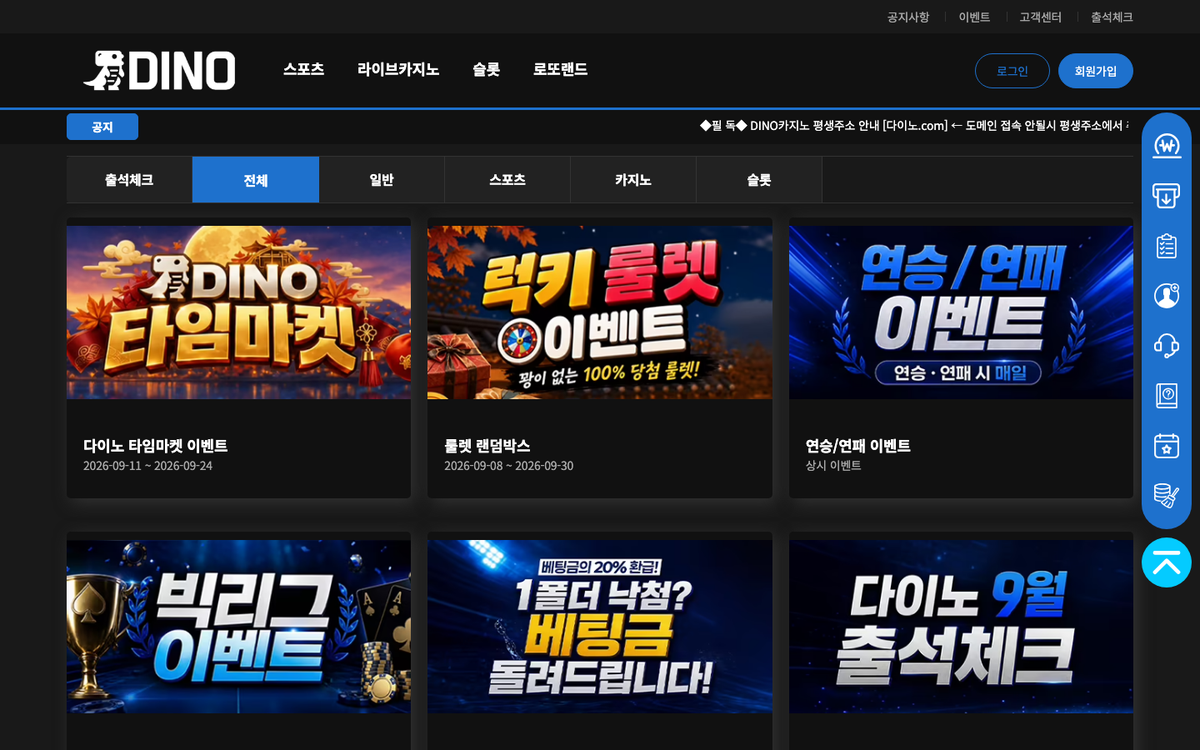 Open [이벤트] (Events) in the top menu to see the Attendance, All, General, Sports, Casino and Slots filter buttons. Press [슬롯] to show slot-only event cards, each with the event name and period.
2. Slot Time on the Time Market banner
- The DINO Time Market banner on the main lobby shows Late Snack, Late Night, Morning, Tea, Sports, Slot, Casino and Last Time windows plus Golden Time.
- How to take part in the Slot Time window is explained in the DINO Time Market guide.
3. If something goes wrong
- If a game window will not open, check your login state and balance and press [캐시삭제] in the desktop quick menu.
- For game errors or settlements contact Telegram @DINO_CS (24h) or use [1:1 문의].
DINO slot providers
The 36 providers in the slots area of the main lobby, in lobby order. Games listed are those seen in the game list that opens when the card is pressed while logged out.
1. Pragmatic Play – Pragmatic Play across live and slots
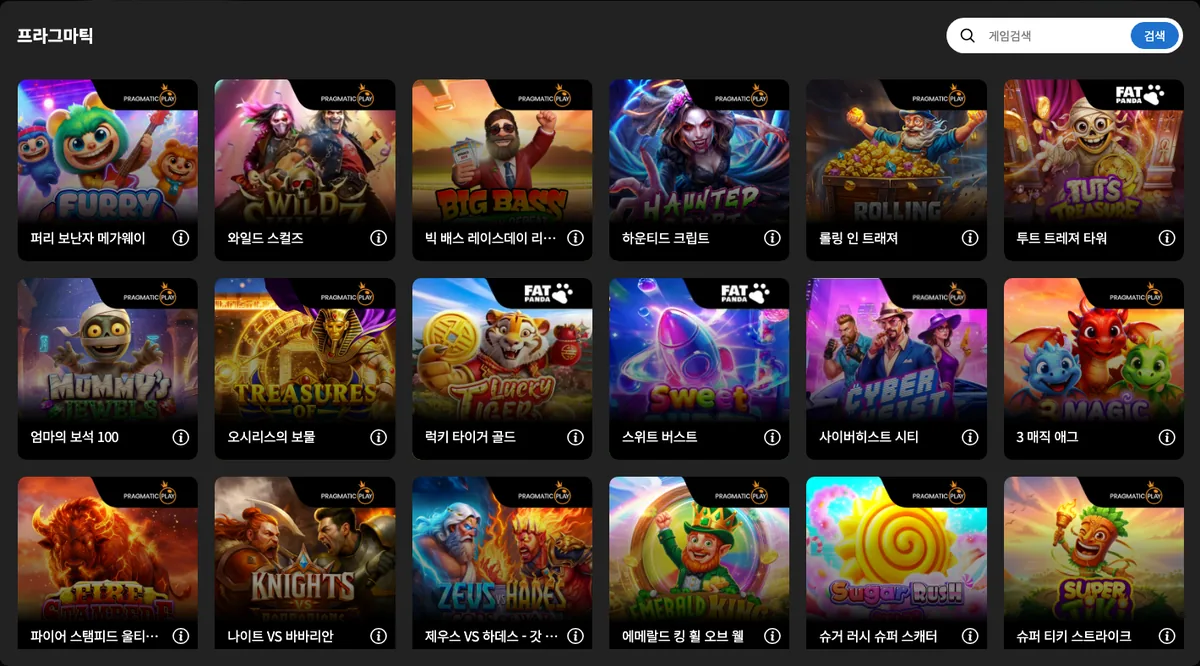
Pragmatic Play is a Gibraltar-headquartered B2B content supplier that says it delivers slots, live casino and several other verticals to online casino and sports operators through a single API. On DINO it is the first card in both the live casino and the slots area; pressing the card while logged out opens a game list window with a search box, and launching a game requires login.
- Lobby position 1 in both the DINO live casino and slots areas
- Card opens a game list with a search box while logged out (656 games)
- Gibraltar headquarters and a single API supporting 33 languages, per the official site
Content seen on DINO: 퍼리 보난자 메가웨이 (Furry Bonanza Megaways™) · 와일드 스컬즈 (Wild Skullz) · 빅 배스 레이스데이 리피트 (Big Bass Raceday Repeat) · 하운티드 크립트 (Haunted Crypt) · 롤링 인 트래져 (Rolling in Treasures) … (656 games seen in DINO's game list (logged out))
2. Nolimit City – Nolimit City: 119 xMechanics slots
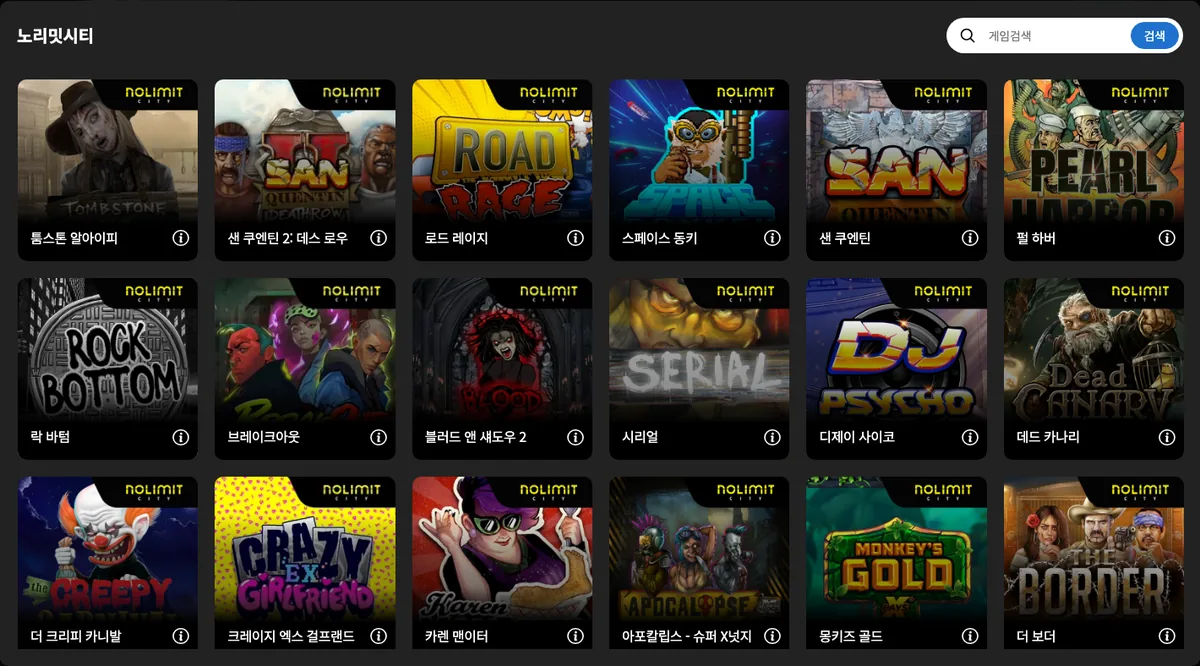
DINO offers Nolimit City slots through the second card in the slots area of its main lobby. Nolimit City is a slot studio founded in 2013 with its licensee address in St. Julians, Malta; it belongs to Evolution Group and builds high-volatility slots around its own xMechanics features such as xGlitch and Side Hustle. Pressing the card while logged out opens a list of 119 games, and launching any of them requires a login.
- Second card in the slots area of the main lobby, after Pragmatic Play
- 119 games and a search field in the logged-out game list
- High-volatility slots built on the studio's own xMechanics features (official site)
Content seen on DINO: 툼스톤 알아이피 (Tombstone RIP) · 샌 쿠엔틴 2: 데스 로우 (San Quentin 2: Death Row) · 로드 레이지 (Road Rage) · 스페이스 동키 (Space Donkey) · 샌 쿠엔틴 (San Quentin xWays) … (119 games seen in DINO's game list (logged out))
3. Hacksaw Gaming – Hacksaw Gaming: 137 titles incl. H.V.
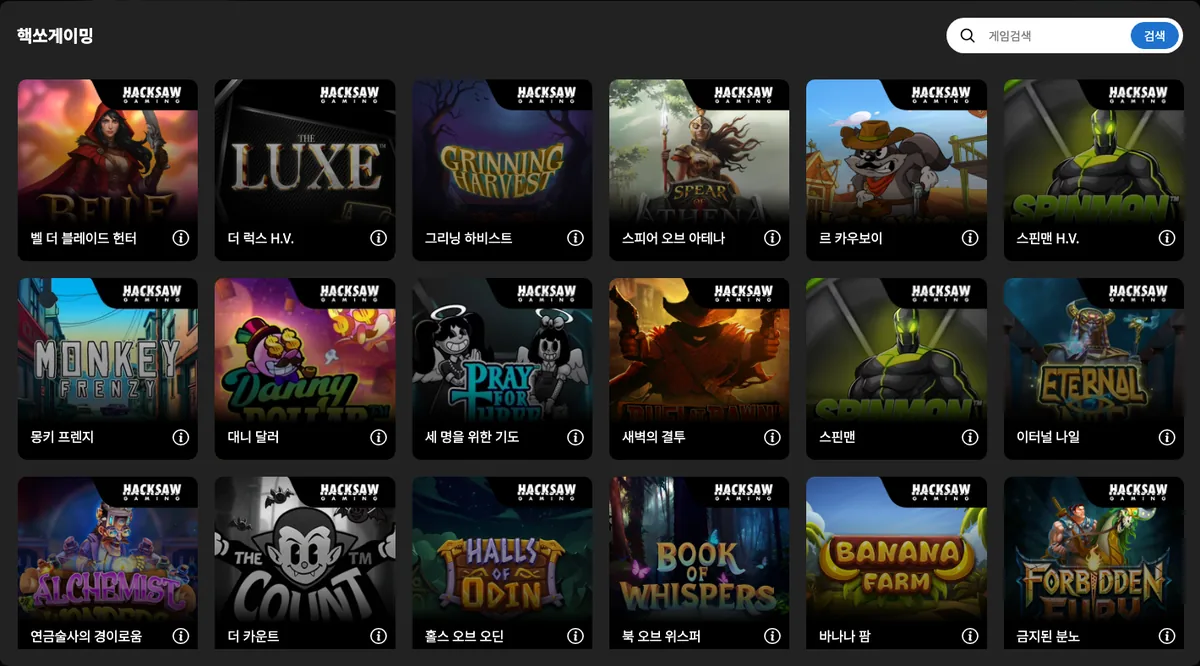
Hacksaw Gaming is a provider visible as the third card in the slots area of DINO's main lobby. Its official site describes the company as a supplier of slots, scratchcards and instant win games, also markets crash games and a remote gaming server platform called OpenRGS, and prints a Zebbug, Malta address in the footer. Pressing the card while logged out opens a list of 137 games with a search field; playing any of them requires a login.
- Third card in the slots area of the main lobby
- 137 games and a search field in the logged-out list
- Scratchcards, instant win and crash games presented alongside slots on the official site
Content seen on DINO: 벨 더 블레이드 헌터 (Belle the Blade Hunter) · 더 럭스 H.V. (The Luxe H.V.) · 그리닝 하비스트 (Grinning Harvest) · 스피어 오브 아테나 (Spear of Athena) · 르 카우보이 (Le Cowboy) … (137 games seen in DINO's game list (logged out))
4. PG SOFT – PG SOFT: 146 mobile slots incl. 3X3
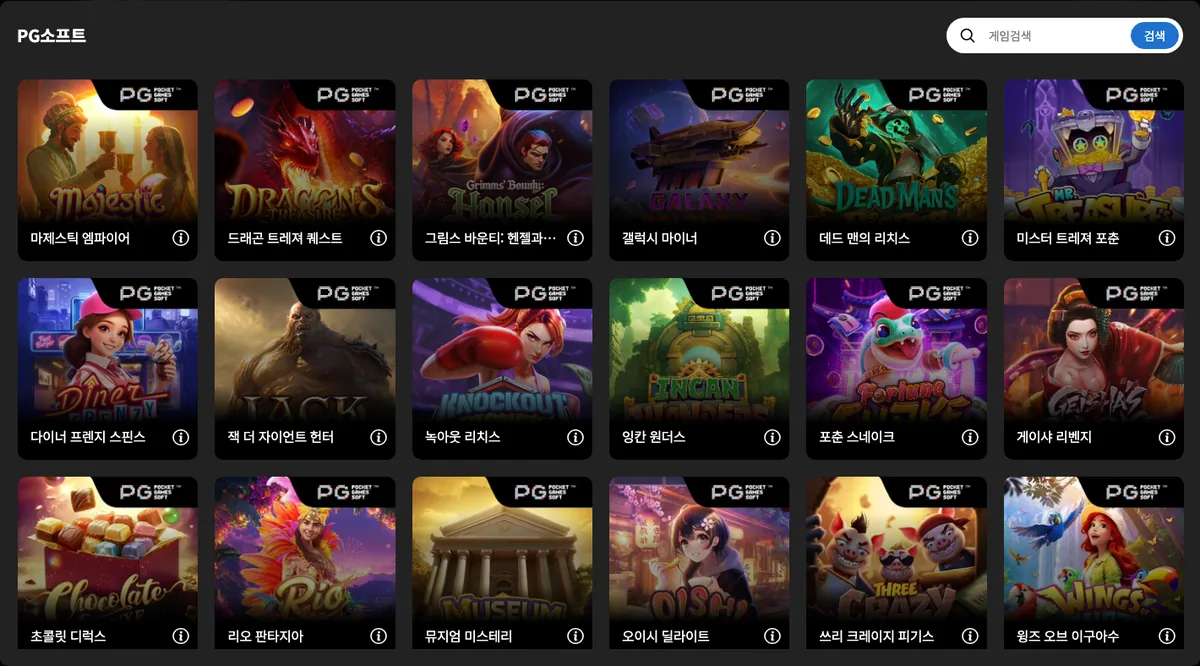
PG SOFT is a provider visible as the fourth card in the slots area of DINO's main lobby. Founded in 2015 and headquartered in Valletta, Malta, it is a mobile-focused games company whose official site says its video slots run in the browser and on iOS, Android, macOS and Windows. Pressing the DINO card while logged out opens a list of 146 games with a search field, and playing requires a login.
- Fourth card in the slots area of the main lobby (right end of the first row)
- 146 games and a search field in the logged-out list
- Mobile-focused slots that run in browsers and on iOS, Android, macOS and Windows (official site)
Content seen on DINO: 마제스틱 엠파이어 (Majestic Empire) · 드래곤 트레져 퀘스트 (Dragon's Treasure Quest) · 그림스 바운티: 헨젤과 그레텔 (Grimms' Bounty: Hansel & Gretel) · 갤럭시 마이너 (Galaxy Miner) · 데드 맨의 리치스 (Dead Man's Riches) … (146 games seen in DINO's game list (logged out))
5. Relax Gaming – Relax Gaming: 80 titles, Money Train 4
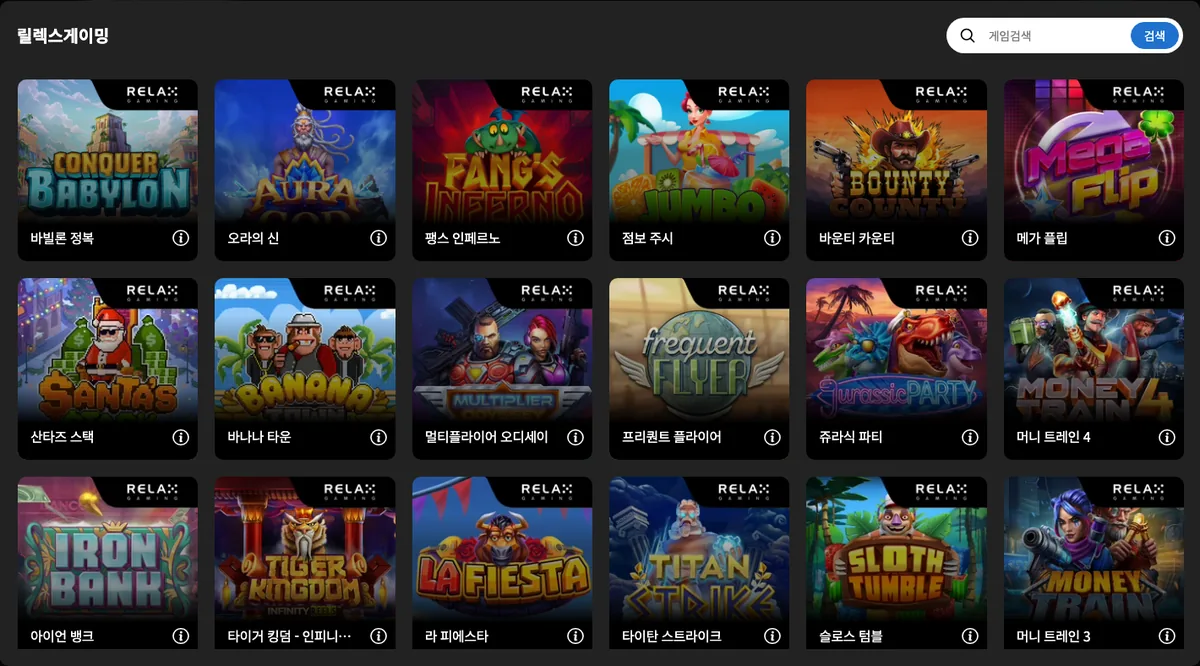
Relax Gaming is a provider visible as the fifth card in the slots area of DINO's main lobby. It is a B2B iGaming supplier founded in 2010 that, according to its official site, began building in-house games in 2018 and offers slots, the Dream Drop progressive jackpot system, poker and bingo while aggregating third-party studios through its Relax Apex overlay. Pressing the DINO card while logged out opens a list of 80 games; launching one requires a login.
- Fifth card in the slots area of the main lobby (first in the second row)
- 80 games and a search field in the logged-out list
- Founded in 2010, building its own games since 2018 (official site)
Content seen on DINO: 바빌론 정복 (Conquer Babylon) · 오라의 신 (Aura God) · 팽스 인페르노 (Fang's Inferno) · 점보 주시 (Jumbo Juicy) · 바운티 카운티 (Bounty County) … (80 games seen in DINO's game list (logged out))
6. OneTouch – OneTouch: 53 slots incl. Legends Cup
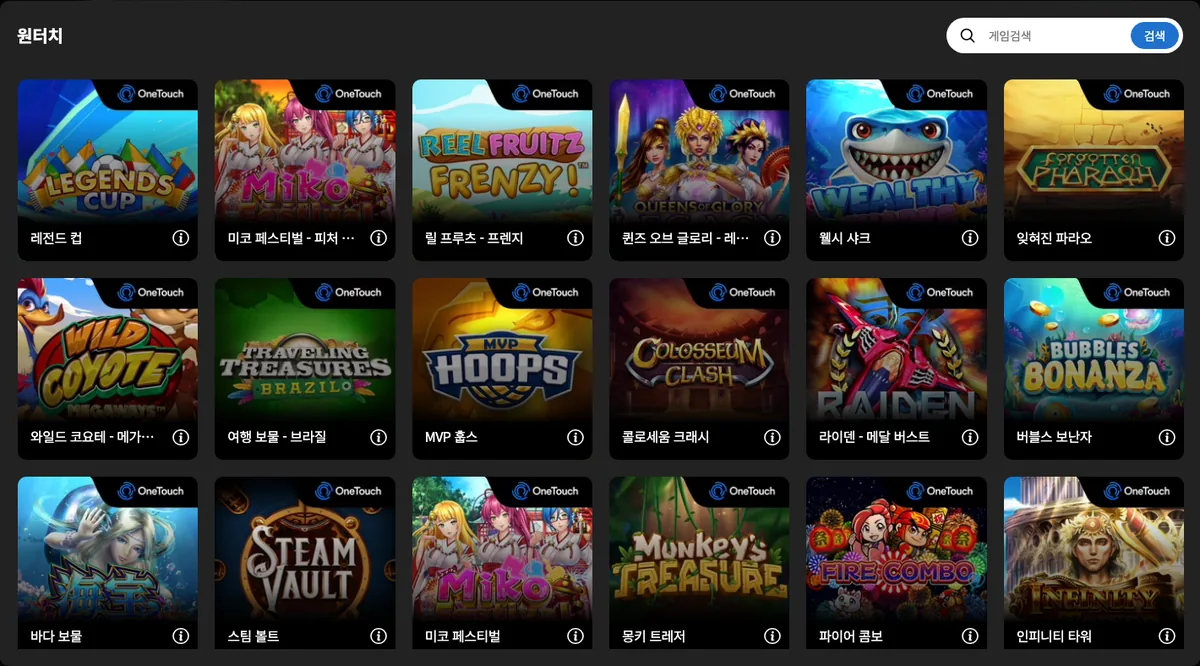
OneTouch is a provider visible as the sixth card in the slots area of DINO's main lobby. According to its official site it commenced operations in 2015, has its head office in Tallinn, Estonia, and builds slot, table and live games around mobile-first design and single-touch interactivity. Pressing the DINO card while logged out opens a list of 53 games, and playing requires a login.
- Sixth card in the slots area of the main lobby (second in the second row)
- 53 games and a search field in the logged-out list
- Operating since 2015 with its head office in Tallinn, Estonia (official site)
Content seen on DINO: 레전드 컵 (Legends Cup) · 미코 페스티벌 - 피처 바이 (Miko Festival Feature Buy) · 릴 프루츠 - 프렌지 (Reel Fruit Frenzy) · 퀸즈 오브 글로리 - 레가시 (Queens of Glory Legacy) · 웰시 샤크 (Wealthy Sharks) … (53 games seen in DINO's game list (logged out))
7. Red Tiger – Red Tiger: 350 games in the DINO list
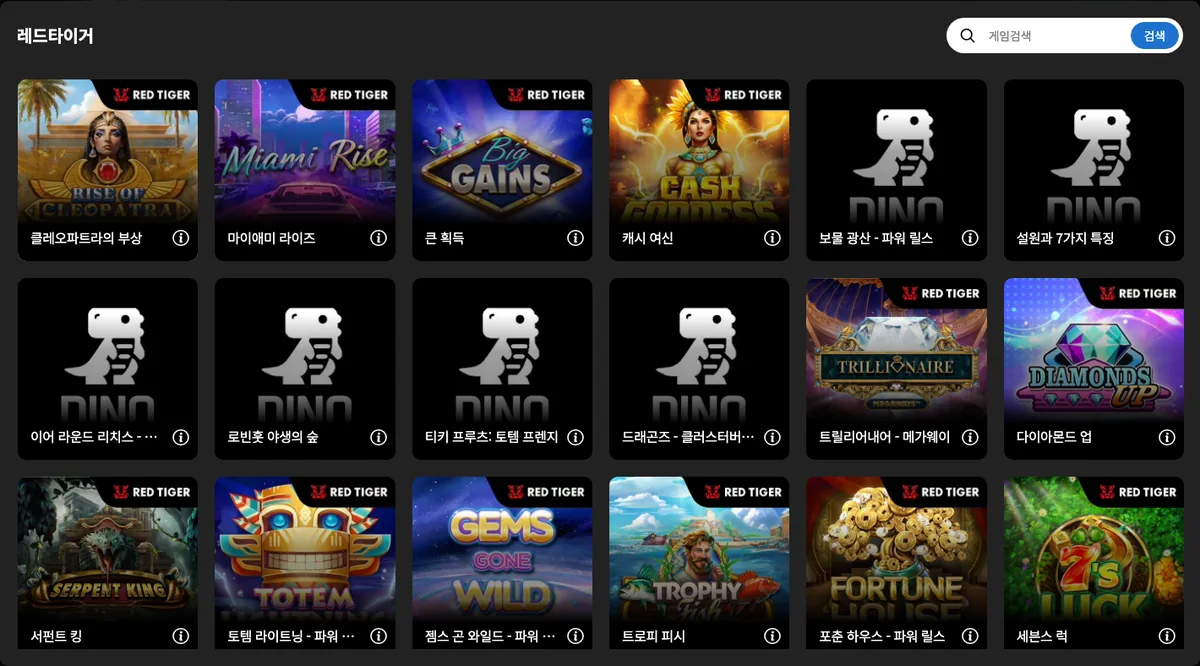
Red Tiger is a provider visible as the seventh card in the slots area of DINO's main lobby. Per its official site it is a slot studio founded in 2014 by industry veterans and part of Evolution Group, offering slots together with engagement tools such as tournaments, leaderboards, Smart Spins and the Daily Drop Jackpots network. Pressing the card while logged out opens a list window holding 350 games, and launching requires a login.
- Seventh card in the slots area of the main lobby (third in the second row)
- 350 games and a search field in the logged-out list
- Founded in 2014 by industry veterans; part of Evolution Group (official site)
Content seen on DINO: 클레오파트라의 부상 (Rise of Cleopatra) · 마이애미 라이즈 (Miami Rise) · 큰 획득 (Big Gains) · 캐시 여신 (Cash Goddess) · 보물 광산 - 파워 릴스 (Treasure Mine Power Reels) … (350 games seen in DINO's game list (logged out))
8. Habanero – Habanero: 101 titles, monthly releases
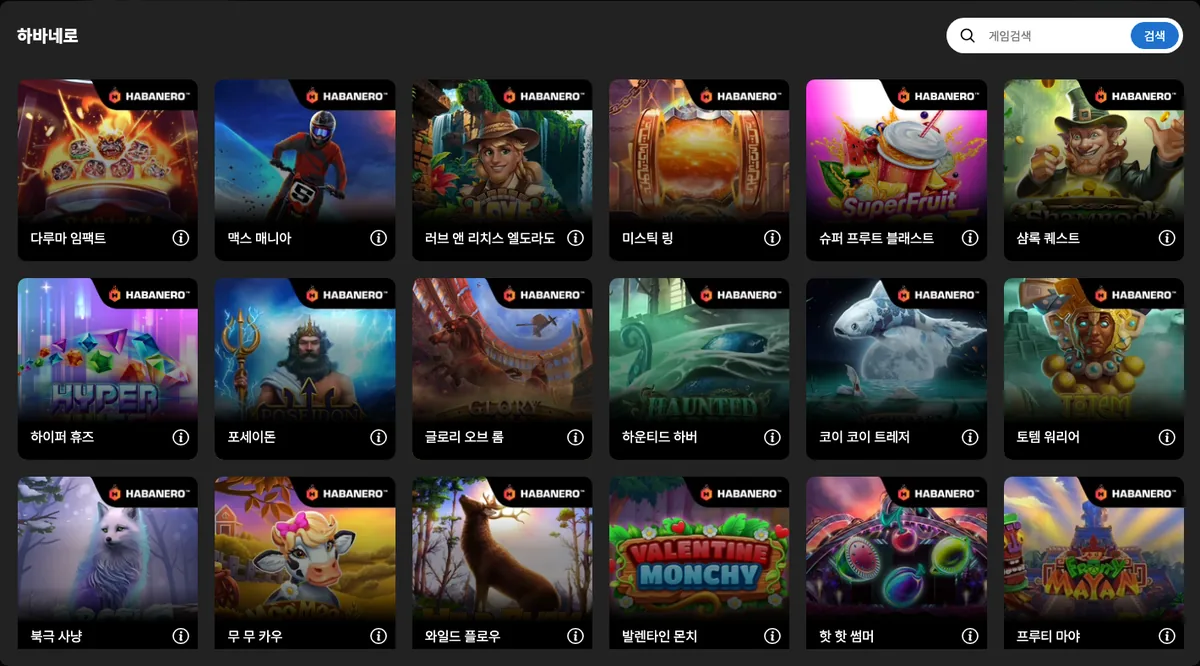
Habanero is a provider visible as the eighth card in the slots area of DINO's main lobby. Its official site says it builds slot and table games for licensed B2B operators with new titles released every month, and its games page lists 227 titles, 34 languages and certification in 26 markets. Pressing the DINO card while logged out opens a list of 101 games; launching requires a login.
- Eighth card in the slots area of the main lobby (right end of the second row)
- 101 games and a search field in the logged-out list
- Slots, table games and video poker released monthly; 227 titles, 34 languages, 26 certified markets (official site)
Content seen on DINO: 다루마 임팩트 (Daruma Impact) · 맥스 매니아 (MX Mania) · 러브 앤 리치스 엘도라도 (Love And Riches El dorado) · 미스틱 링 (Mystic Rings) · 슈퍼 프루트 블래스트 (Super Fruit Blast) … (101 games seen in DINO's game list (logged out))
9. Playtech – Playtech's two places, live and slots
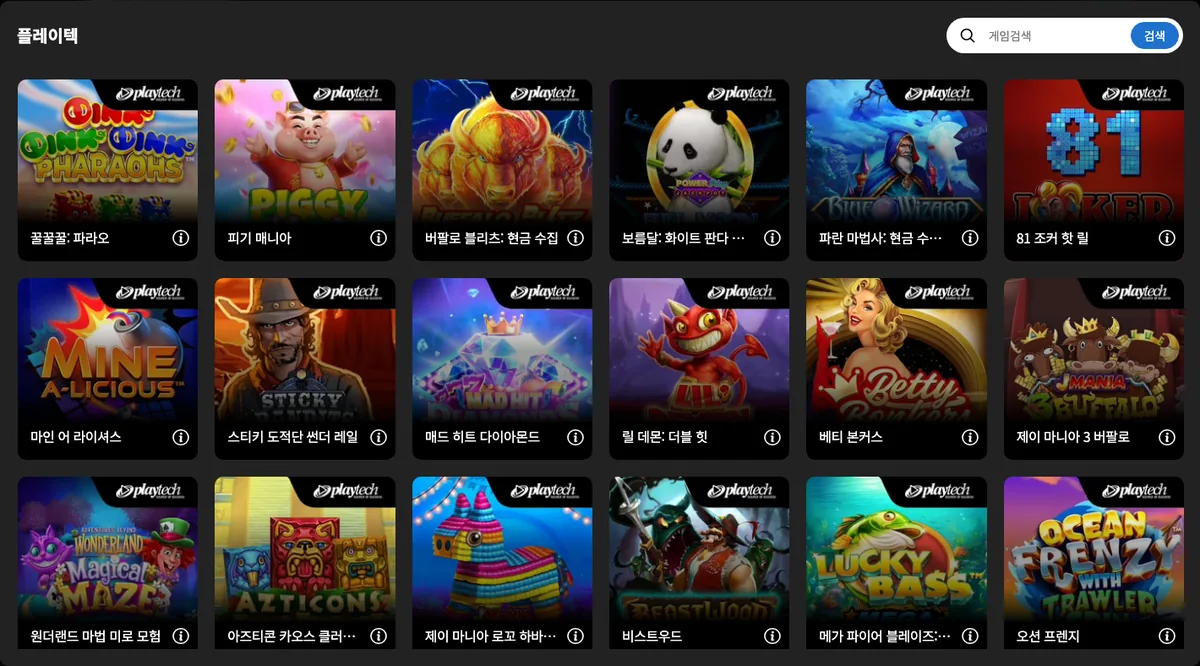
Playtech is a platform, content and services provider to the online gambling industry, founded in 1999 and holding a premium listing on the London Stock Exchange Main Market, which says it supplies casino, live casino, poker, bingo and sports betting products through proprietary technology. On DINO the 플레이텍 card appears at lobby position 5 in the live casino area and position 9 in the slots area; pressing it while logged out opens a game list window with a search box, and games launch only after login.
- Founded in 1999 with a premium listing on the London Stock Exchange Main Market, per the official site
- Lobby position 5 in the DINO live casino area and position 9 in the slots area
- Card opens a game list with a search box while logged out (362 games)
Content seen on DINO: 꿀꿀꿀: 파라오 (Oink Oink Oink: Pharaohs™) · 피기 매니아 (Piggy Mania™) · 버팔로 블리츠: 현금 수집 (Buffalo Blitz: Cash Collect™) · 보름달: 화이트 판다 파워플레이 잭팟 (Full Moon: White Panda PowerPlay Jackpot) · 파란 마법사: 현금 수집 & 링크 (Blue Wizard: Cash Collect & Link) … (362 games seen in DINO's game list (logged out))
10. NetEnt – NetEnt: 215 titles incl. XXXtreme
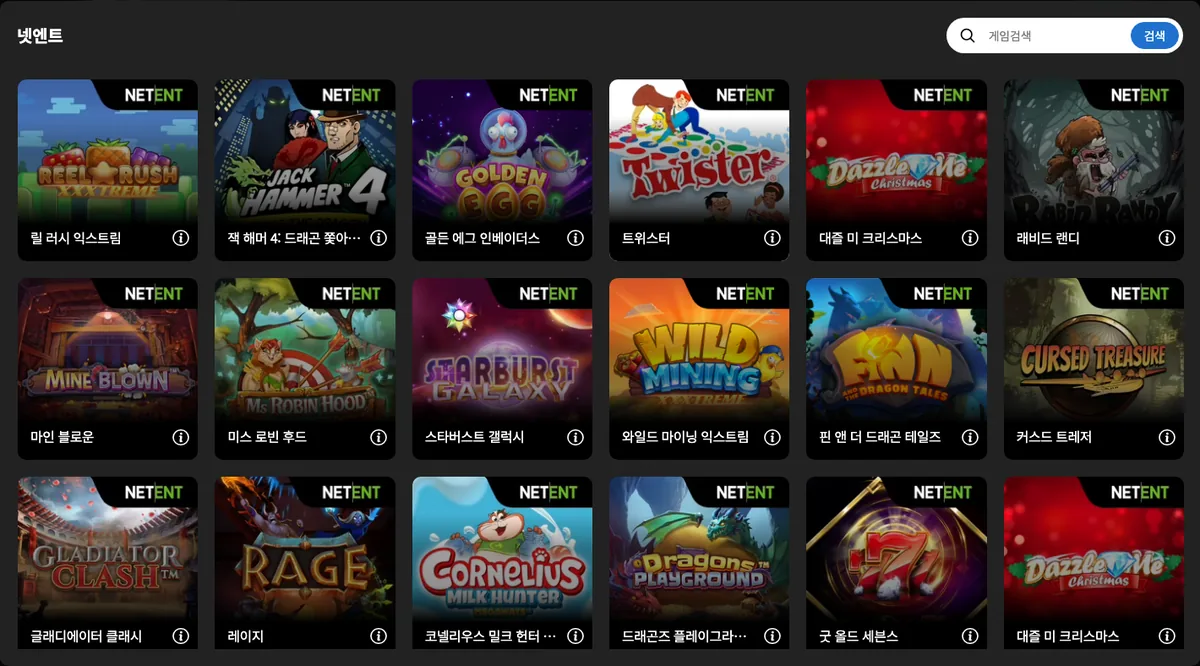
NetEnt is a provider visible as the tenth card in the slots area of DINO's main lobby. Its official site presents the company as a supplier of premium gaming solutions to online casino operators, producing slots and classic RNG table games on its own platform, and it now belongs to Evolution Group. Pressing the DINO card while logged out opens a list of 215 games, and launching one requires a login.
- Tenth card in the slots area of the main lobby (second in the third row)
- 215 games and a search field in the logged-out list
- Slots and RNG table games on its own platform; 58.3 billion transactions in 2019 (official site)
Content seen on DINO: 릴 러시 익스트림 (Reel Rush XXXtreme) · 잭 해머 4: 드래곤 쫓아가기 (Jack Hammer 4 : Chasing the Dragon) · 골든 에그 인베이더스 (Golden Egg Invaders) · 트위스터 (Twister) · 대즐 미 크리스마스 (Dazzle Me Christmas) … (215 games seen in DINO's game list (logged out))
11. Big Time Gaming – Big Time Gaming: Tapcards and Megaways
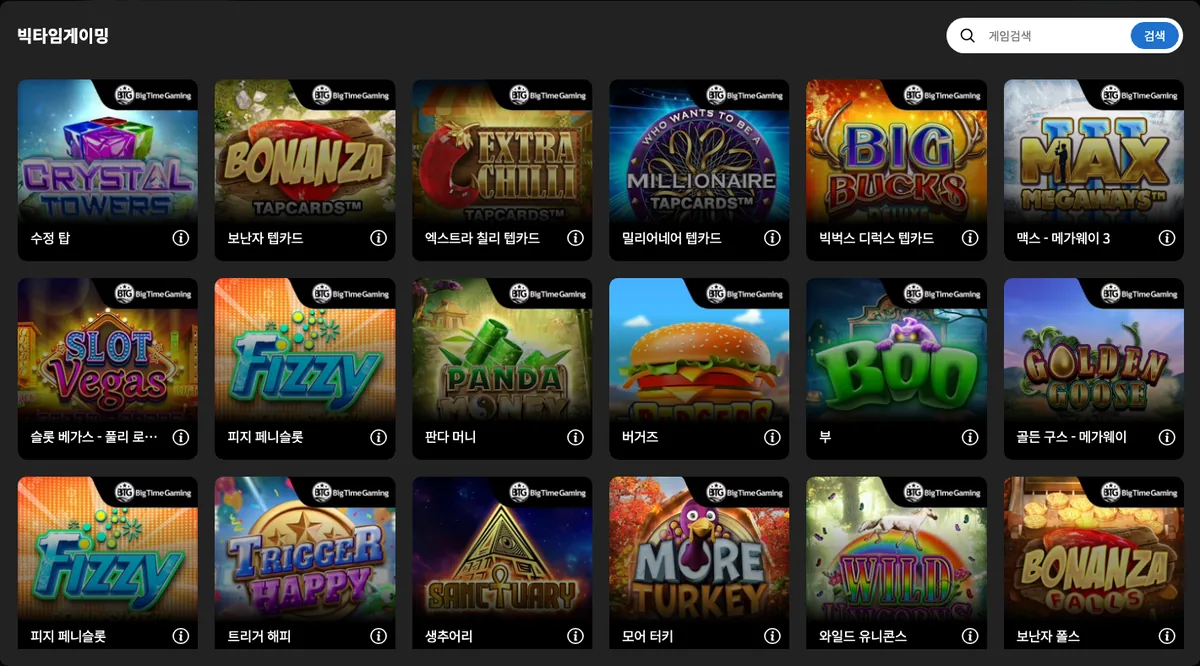
Big Time Gaming is a provider visible as the eleventh card in the slots area of DINO's main lobby. Founded in 2011 by Nik Robinson and based in Surry Hills, New South Wales, Australia, it is the slot developer behind the Megaways mechanic with up to 117,649 ways to win, which it has licensed to other developers, and it was acquired by Evolution in 2021. Pressing the DINO card while logged out opens a list of 47 games; launching requires a login.
- Eleventh card in the slots area of the main lobby (third in the third row)
- 47 games and a search field in the logged-out list
- Founded in 2011 by Nik Robinson, based in Surry Hills, Australia, acquired by Evolution in 2021 (official site)
Content seen on DINO: 수정 탑 (Crystal Towers) · 보난자 텝카드 (Bonanza Tapcards) · 엑스트라 칠리 텝카드 (Extra Chili Tapcards) · 밀리어네어 텝카드 (Millionaire Tapcards) · 빅벅스 디럭스 텝카드 (Big Bucks Deluxe Tapcards) … (47 games seen in DINO's game list (logged out))
12. Yggdrasil – Yggdrasil: mechanics named in the titles
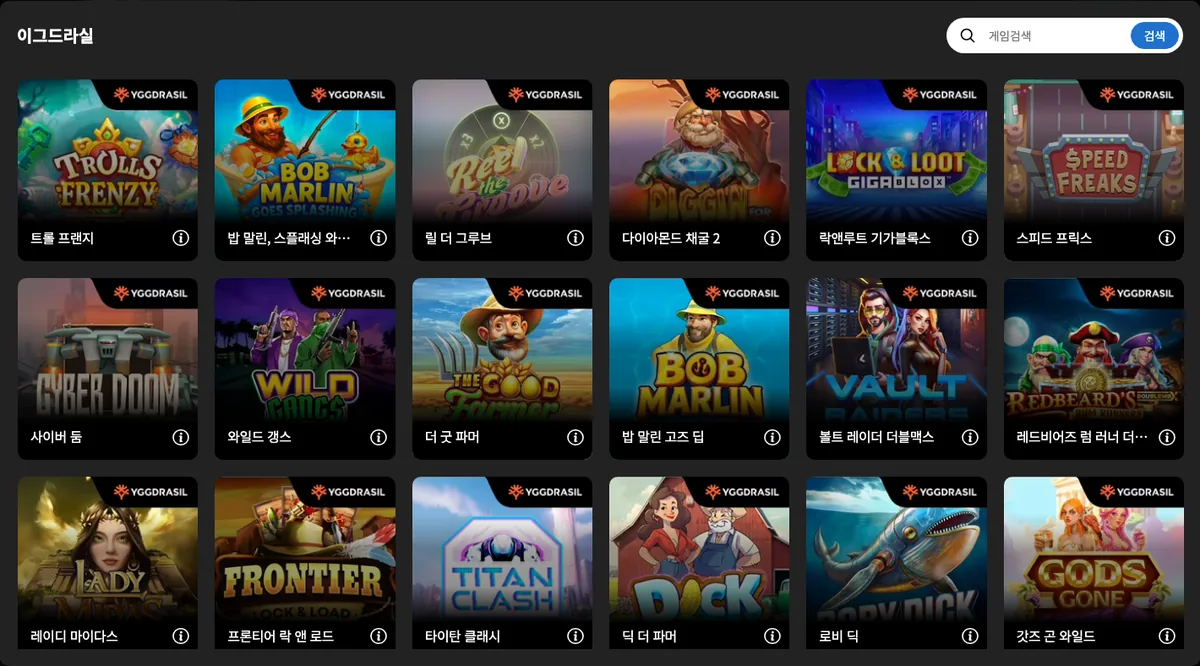
DINO offers Yggdrasil slots through the 12th card in the slot area of its main lobby. Yggdrasil is a slot studio with a St Julian's, Malta address that, according to its official site, has built slots for over a decade and licenses game mechanics (GEMs) such as GigaBlox and DoubleMax to other studios. Pressing the card while logged out opens a game list with a search box showing 215 titles.
- 12th card in the DINO slot area; a 215-game list is visible while logged out
- Official GEMs mechanic names such as GigaBlox, DoubleMax and RushingWilds appear in DINO's game titles
- St Julian's, Malta address and MGA B2B licence MGA/B2B/230/2012 stated on the official site
Content seen on DINO: 트롤 프랜지 (Trolls Frenzy) · 밥 말린, 스플래싱 와일드 파이트 러싱와일즈 (Bob Marlin Goes Splashing Wild Fight™ RushingWilds™) · 릴 더 그루브 (Reel The Groove) · 다이아몬드 채굴 2 (Diggin for Diamonds 2) · 락앤루트 기가블록스 (Lock & Loot Gigablox) … (215 games seen in DINO's game list (logged out))
13. Microgaming – Microgaming through a 74-game list
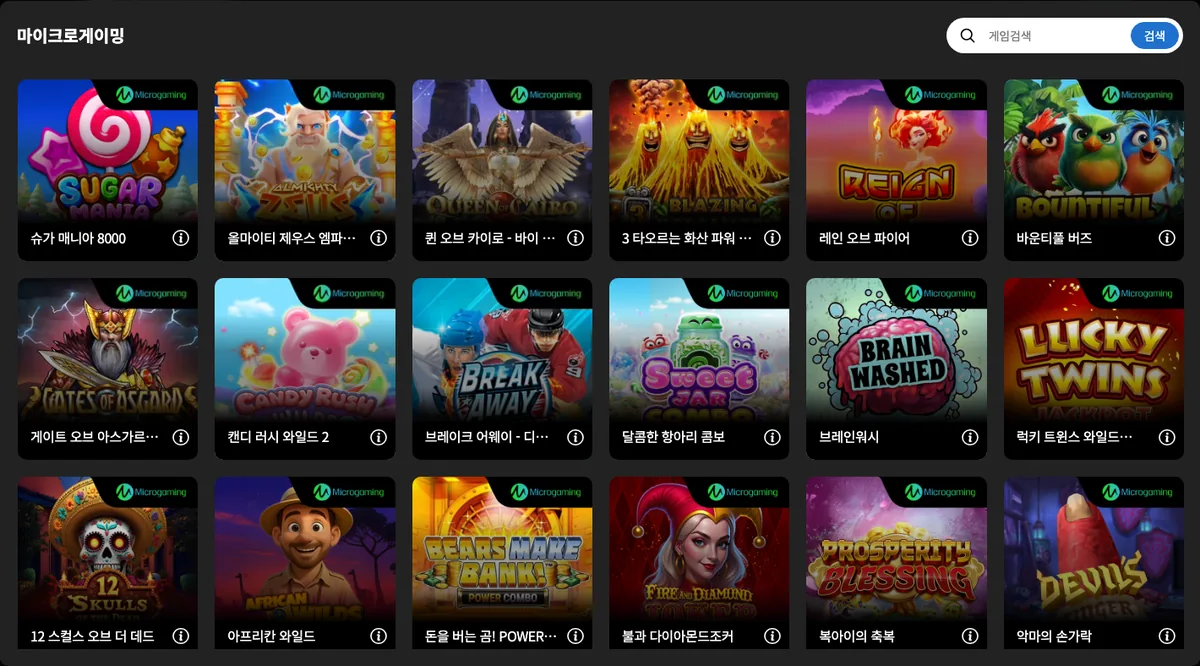
Microgaming is the 13th card in the slot area of the DINO main lobby; pressing it opens a game list with a search box even before login, and 74 games are counted there. According to its official site, Microgaming is a long-established online gaming supplier with 500+ games spanning slots, live casino, specialised RNG formats such as arcade and fishing, and Playboy-branded content. No founding year or head office address is stated on the current official site.
- 13th card in the DINO slot area; 74 games in the list window, with a search box
- Official site cites 500+ games, over 1,000 operator sites and 40+ languages
- Live casino, specialised RNG games and Playboy-branded content stated alongside slots on the official site
Content seen on DINO: 슈가 매니아 8000 (Sugar Mania 8000) · 올마이티 제우스 엠파이어 (Almighty Zeus Empire) · 퀸 오브 카이로 - 바이 피처 (Queen of Cairo) · 3 타오르는 화산 파워 콤보 (3 Blazing Volcanoes Power Combo) · 레인 오브 파이어 (Reign of Fire) … (74 games seen in DINO's game list (logged out))
14. BNG – The 부운고 card and the BNG brand
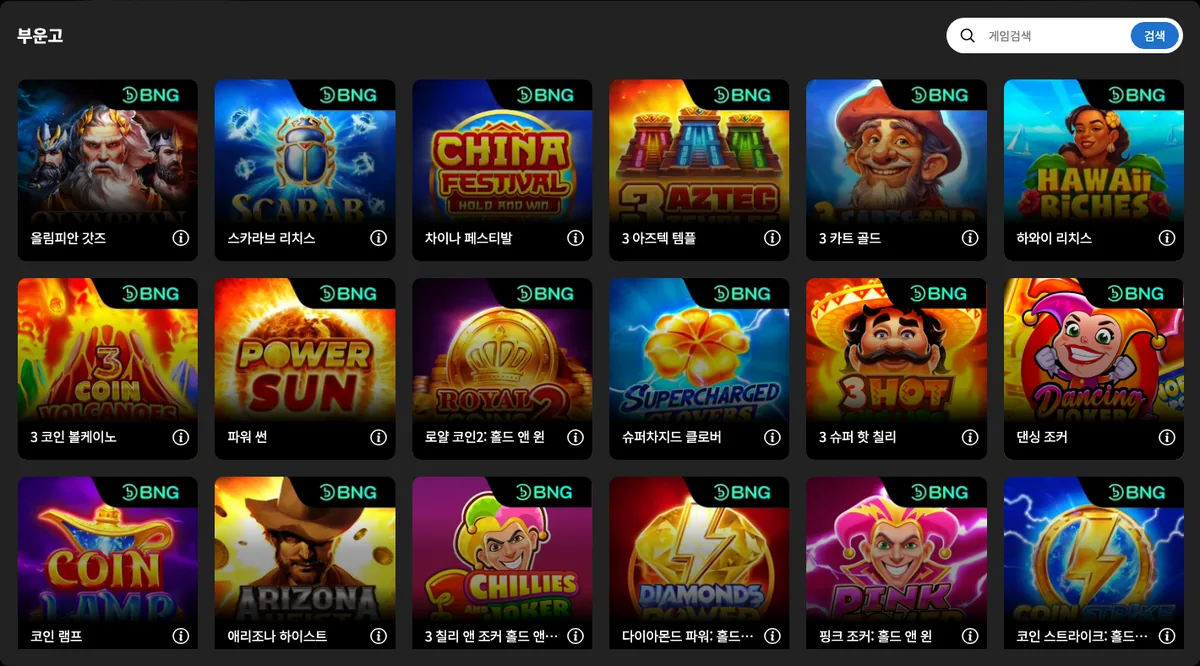
The 14th card in the slot area of the DINO main lobby carries the label 부운고 (BNG); pressing it without logging in opens a list window holding 95 games together with a search box. The official site (bng.games) currently uses the brand BNG, with the legal name BNG Entertainment N.V. and an administrative office address in Curaçao, and describes the company as a game distributor and slot studio supplying slot games, an RGS and a back office to operators. The name Booongo does not appear in the text of the current official pages and survives only in a news URL path.
- DINO card label 부운고; the official site's current brand is BNG (legal name BNG Entertainment N.V.)
- 14th card in the DINO slot area, with 95 games in the list window
- Administrative office in Curaçao, a development hub in Ukraine and a representative hub in Taiwan listed on the official contacts page
Content seen on DINO: 올림피안 갓즈 (Olympian Gods) · 스카라브 리치스 (Scarab Riches) · 차이나 페스티발 (China Festival) · 3 아즈텍 템플 (3 Aztec Temples) · 3 카트 골드 (3 Carts of Gold) … (95 games seen in DINO's game list (logged out))
15. CQ9 Gaming – CQ9, the card left in Latin letters
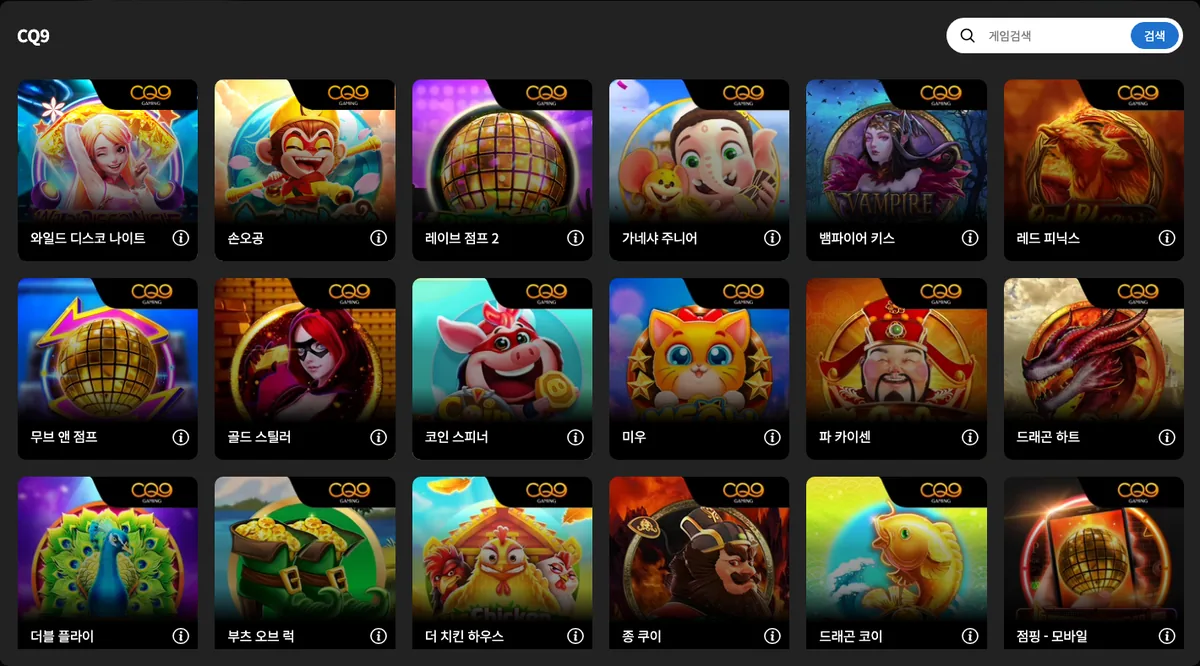
CQ9 (CQ9 Gaming) is the 15th card in the slot area of the DINO main lobby, and its label reads simply CQ9 with no Korean transliteration. The game list window opens even while logged out, showing 175 games and a search box. CQ9 Gaming describes itself on its official site as an Asian game manufacturer developing slot, fishing, table and arcade games in-house on an HTML5 game engine; no founding year or head office address is given on the site.
- 15th card in the DINO slot area, labelled CQ9 without a Korean transliteration
- 175 games and a search box visible while logged out
- Slot, fishing, table and arcade games developed in-house on an HTML5 engine (official site)
Content seen on DINO: 와일드 디스코 나이트 (Wild Disco Night) · 손오공 (Sung Wukong) · 레이브 점프 2 (Rave Jump 2) · 가네샤 주니어 (Ganesha Jr.) · 뱀파이어 키스 (Vampire Kiss) … (175 games seen in DINO's game list (logged out))
16. Slotmill – Slotmill: founded 2019, 44 games listed
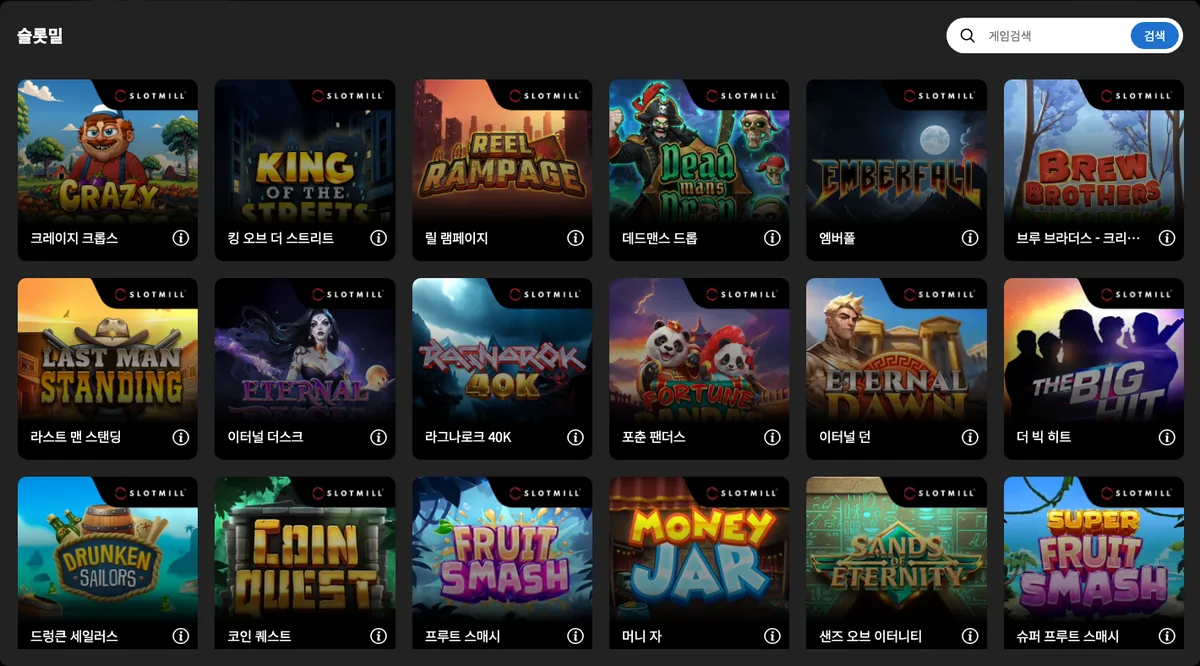
Slotmill is a slot studio founded in 2019 and based in Santa Venera, Malta, and DINO presents it as the 16th card in the slot area of its main lobby. The game list that opens from the card holds 44 games, with a search box at the top, and no login is needed to view it. The official site explains that games are built to around 10 MB for fast loading, include the Fast Track, Burst Mode and Xtra-Bet features, and are distributed through the company's own RGS or partner platforms.
- Founded 2019, headquartered in Santa Venera, Malta, with a studio in Fuengirola, Spain (official site)
- Games of around 10 MB and the Fast Track, Burst Mode and Xtra-Bet features stated on the official site
- 16th card in the DINO slot area, with 44 games in the list window
Content seen on DINO: 크레이지 크롭스 (Crazy Crops) · 킹 오브 더 스트리트 (King of the Streets) · 릴 램페이지 (Reel Rampage) · 데드맨스 드롭 (Dead Man's Drop) · 엠버폴 (Emberfall) … (44 games seen in DINO's game list (logged out))
17. Evoplay – Evoplay: a list that reaches past slots
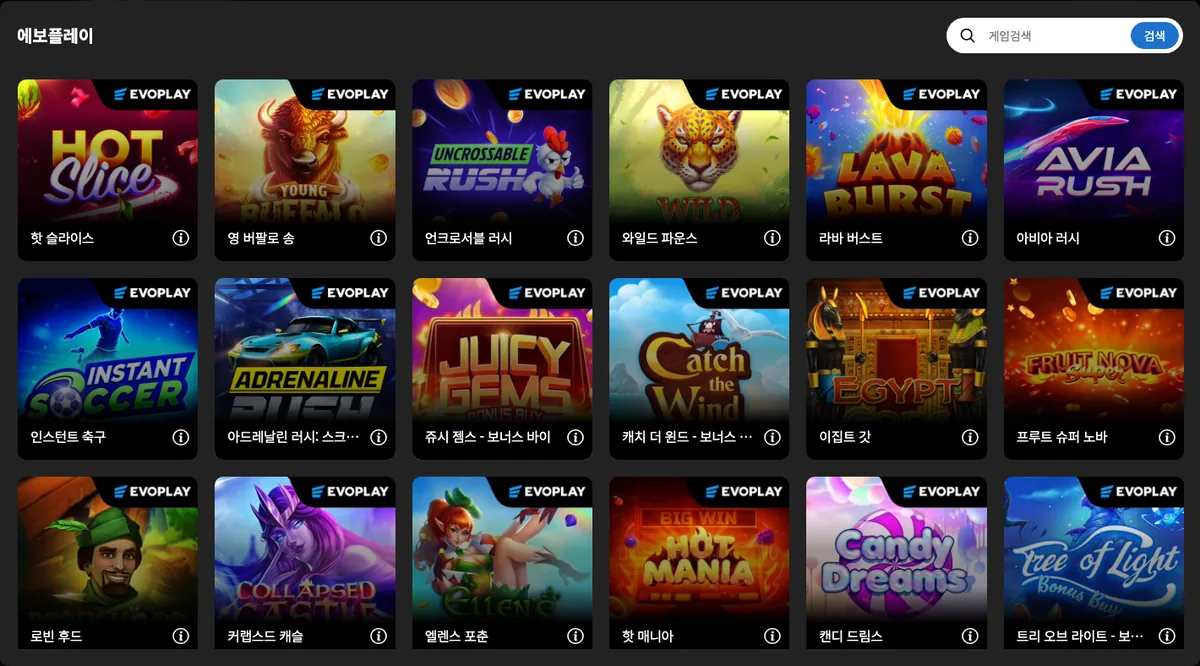
Evoplay is the 17th card in the slot area of the DINO main lobby, and pressing it while logged out opens a list window with 141 games. Founded in 2017 and working from two offices in Limassol and Warsaw, Evoplay describes itself on its official site as an iGaming studio with 250+ games that go beyond video slots into instant games, table and classic games, bingo, lottery and branded titles. DINO's list reflects that range, with titles such as Instant Soccer appearing alongside slots.
- Founded 2017; offices in Limassol and Warsaw with no designated headquarters (official site)
- 250+ games covering instant, table, bingo, lottery and branded games as well as slots (official site)
- 17th card in the DINO slot area, with 141 games in the list window
Content seen on DINO: 핫 슬라이스 (Hot Slice) · 영 버팔로 송 (Young Buffalo Song) · 언크로서블 러시 (Uncrossable Rush) · 와일드 파운스 (Wild Pounce) · 라바 버스트 (Lava Burst) … (141 games seen in DINO's game list (logged out))
18. Blueprint Gaming – Blueprint Gaming and its Megaways titles
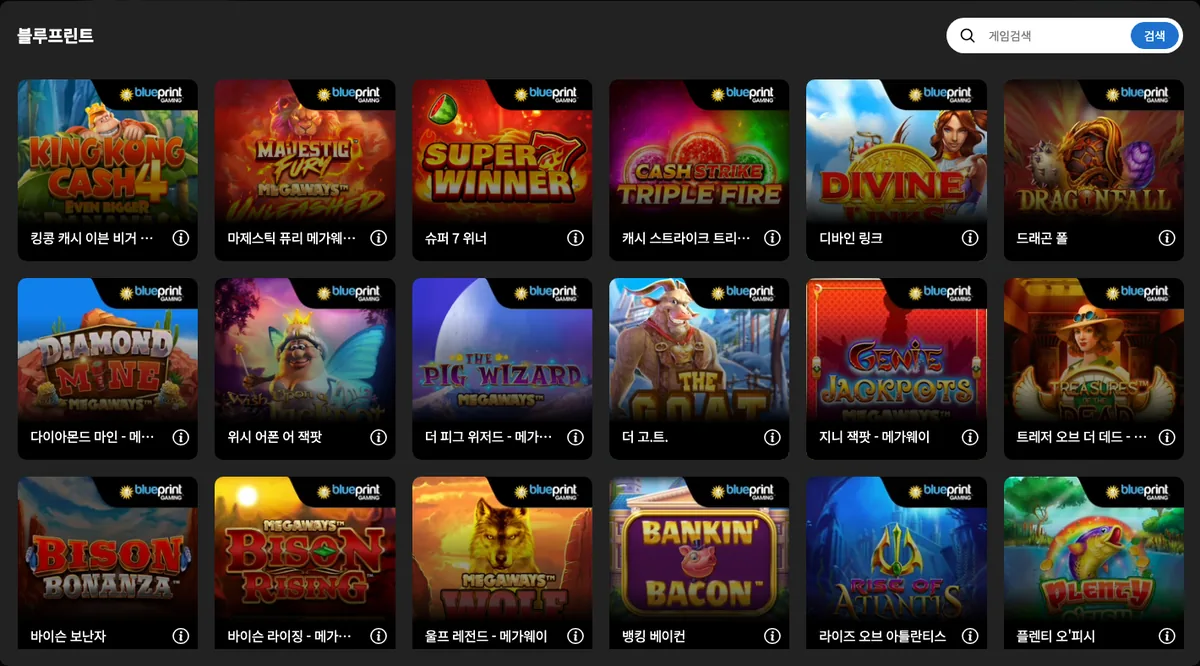
Blueprint Gaming is a slot studio headquartered in Newark, United Kingdom, and DINO presents it as the 18th card in the slot area of its main lobby. The list window opens before login and shows 42 games with a search box, several of them carrying the Megaways name. The founding year of 2001 and the 2012 acquisition by the Gauselmann Group (now MERKUR GROUP) come not from Blueprint's own site but from the parent Merkur Group's official subsidiary page.
- Founded 2001, headquartered in Newark, UK, part of Merkur Group (Gauselmann) per the parent's official page
- Megaways and jackpot products such as Jackpot King and Rapid Fire grouped on the official site
- 18th card in the DINO slot area, with 42 games in the list window
Content seen on DINO: 킹콩 캐시 이븐 비거 바나나 4 (King Kong Cash Even Bigger Bananas 4) · 마제스틱 퓨리 메가웨이 언리쉬드 (Majestic Fury Megaways Unleashed) · 슈퍼 7 위너 (Super 7 Winner) · 캐시 스트라이크 트리플 파이어 (Cash Strike Triple Fire) · 디바인 링크 (Divine Links) … (42 games seen in DINO's game list (logged out))
19. Wazdan – Wazdan: a list full of Coins editions
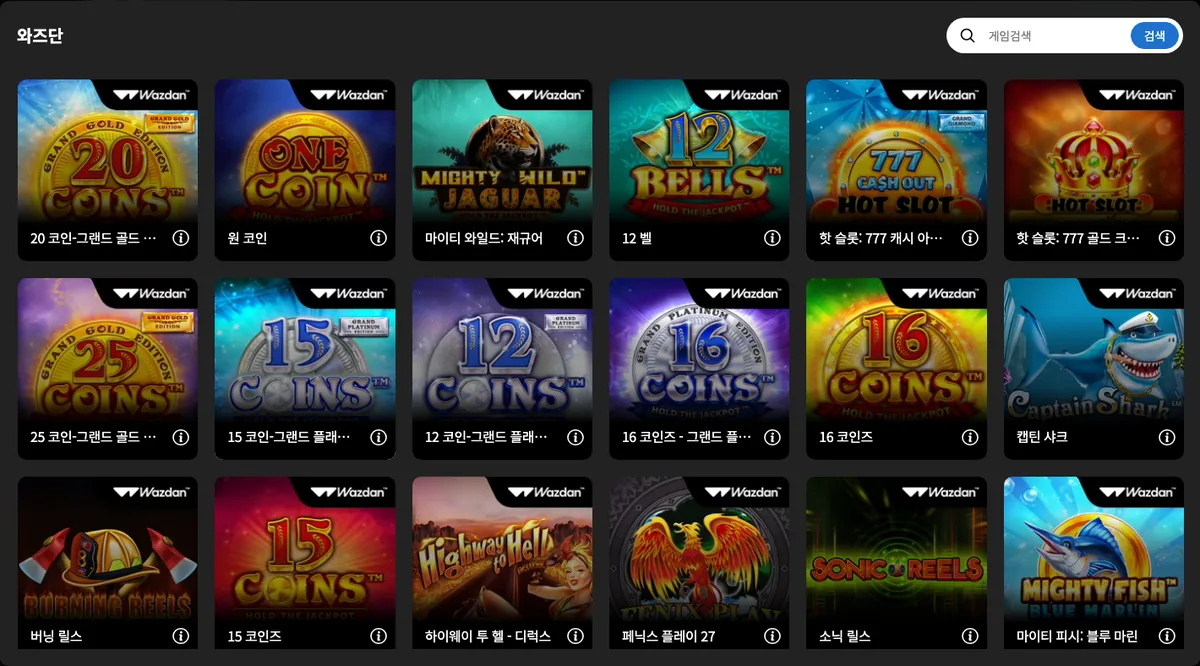
Wazdan is the 19th card in the slot area of the DINO main lobby, and pressing it opens a list window with 192 games without login. Wazdan is a slot studio in St Julian's, Malta, founded in 2010 together with its Malta Gaming Authority licence; its official timeline records a move to HTML5 in 2015 and 300+ titles in 40+ markets by 2025. The top of DINO's list is a run of Coins series editions such as 20 Coins: Grand Gold Edition.
- Founded 2010 with an MGA licence; office in St Julian's, Malta (official timeline and site footer)
- Volatility Levels™, Hold the Jackpot™, Cash Infinity™ and Ultra Lite Mode named on the official site
- 19th card in the DINO slot area, with 192 games in the list window
Content seen on DINO: 20 코인-그랜드 골드 에디션 (20 Coins: Grand Gold Edition) · 원 코인 (One Coin™) · 마이티 와일드: 재규어 (Mighty Wild: Jaguar) · 12 벨 (12 Bells™) · 핫 슬롯: 777 캐시 아웃 그랜드 다이아몬드 에디션 (Hot Slot™: 777 Cash Out Grand Diamond Edition) … (192 games seen in DINO's game list (logged out))
20. Endorphina – Endorphina: slots since 2012
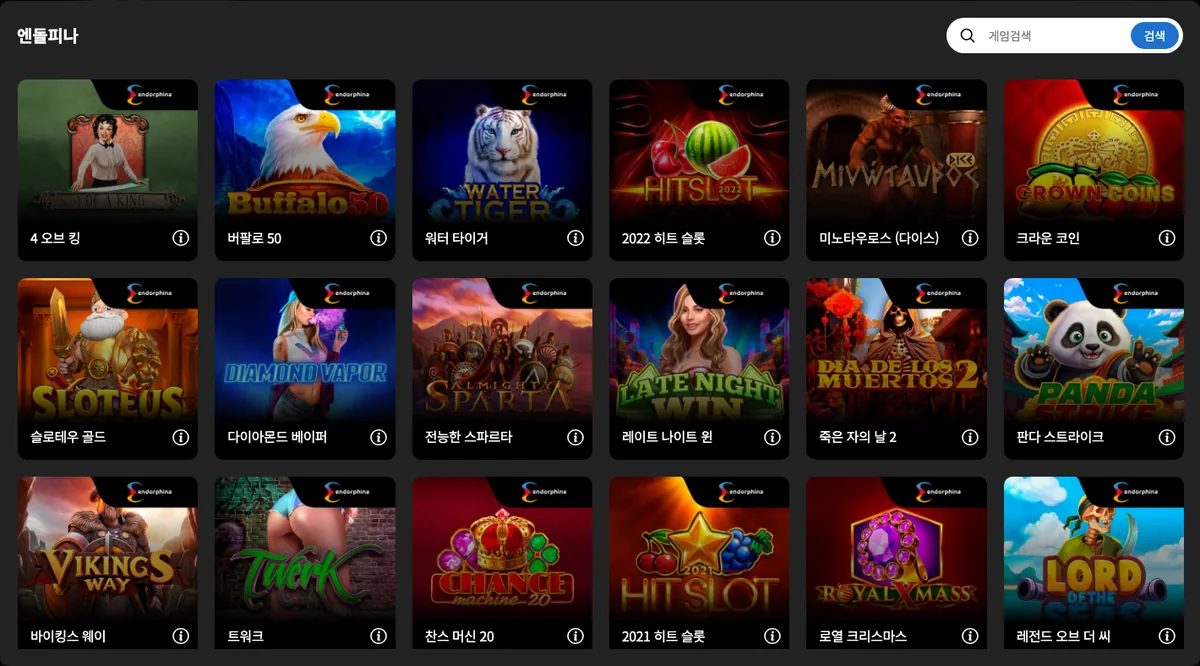
Endorphina is the 20th card in the slot area of the DINO main lobby, and pressing it while logged out opens a list window with 187 games and a search box. Endorphina describes itself as a studio that has supplied slots to online casinos since 2012; its registered office is in Ta' Xbiex, Malta, and its official site cites 200+ games delivered with WebGL technology. The site states that every game is tested by accredited labs such as GLI and certified in 59+ jurisdictions.
- Slots supplied since 2012; registered office in Ta' Xbiex, Malta (official site)
- WebGL delivery, GLI-19 testing, certification in 59+ jurisdictions and ISO/IEC 27001:2022 stated on the official site
- 20th card in the DINO slot area, with 187 games in the list window
Content seen on DINO: 4 오브 킹 (4 of a King) · 버팔로 50 (Buffalo 50) · 워터 타이거 (Water Tiger) · 2022 히트 슬롯 (2022 Hit Slot) · 미노타우로스 (다이스) (Minotaur (Dice)) … (187 games seen in DINO's game list (logged out))
21. 3 Oaks Gaming – 3 Oaks Gaming: a distributor's 79 slots
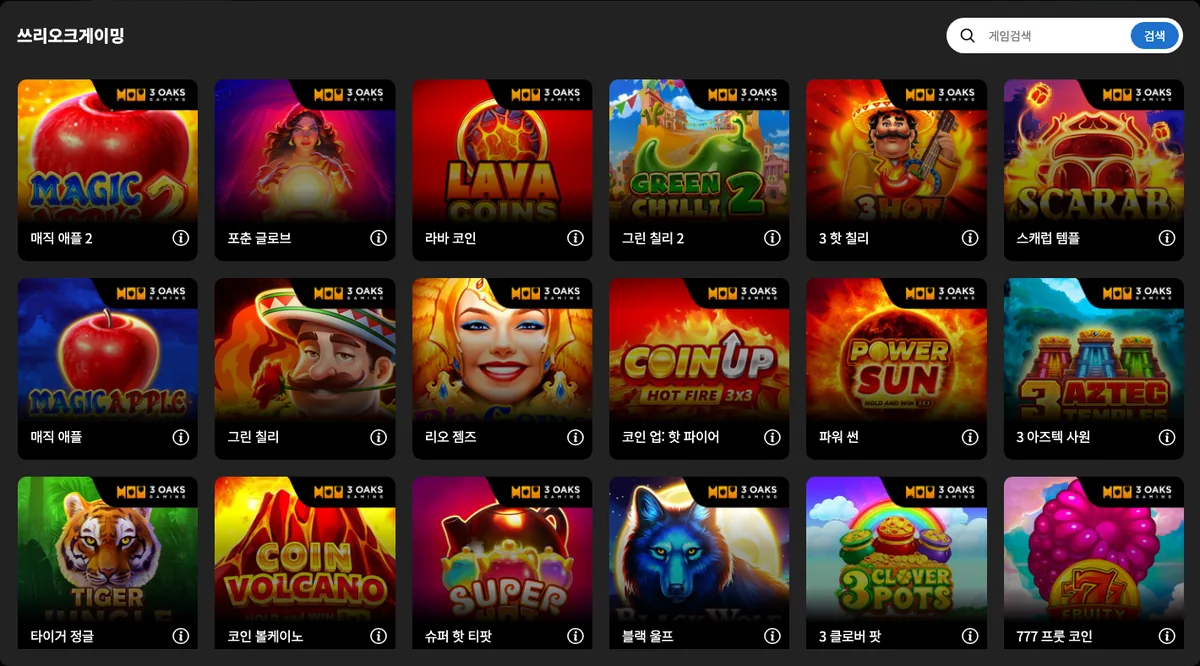
3 Oaks Gaming is an iGaming distributor launched in 2021 that describes itself as a distributor of studio content rather than a developer. On DINO it appears as the 21st card in the slots area of the main lobby, labelled 쓰리오크게이밍, and pressing the card while logged out opens a list of 79 games. Launching a game requires login.
- 21st card in the slots area; 79 games listed while logged out
- Describes itself as a distributor of studio content, launched in 2021
- Search box at the top of the game-list window
Content seen on DINO: 매직 애플 2 (Magic Apple 2) · 포춘 글로브 (Fortune Globe) · 라바 코인 (Lava Coins) · 그린 칠리 2 (Green Chilli 2) · 3 핫 칠리 (3 Hot Chillies) … (79 games seen in DINO's game list (logged out))
22. RubyPlay – RubyPlay: 154 series slots in one list
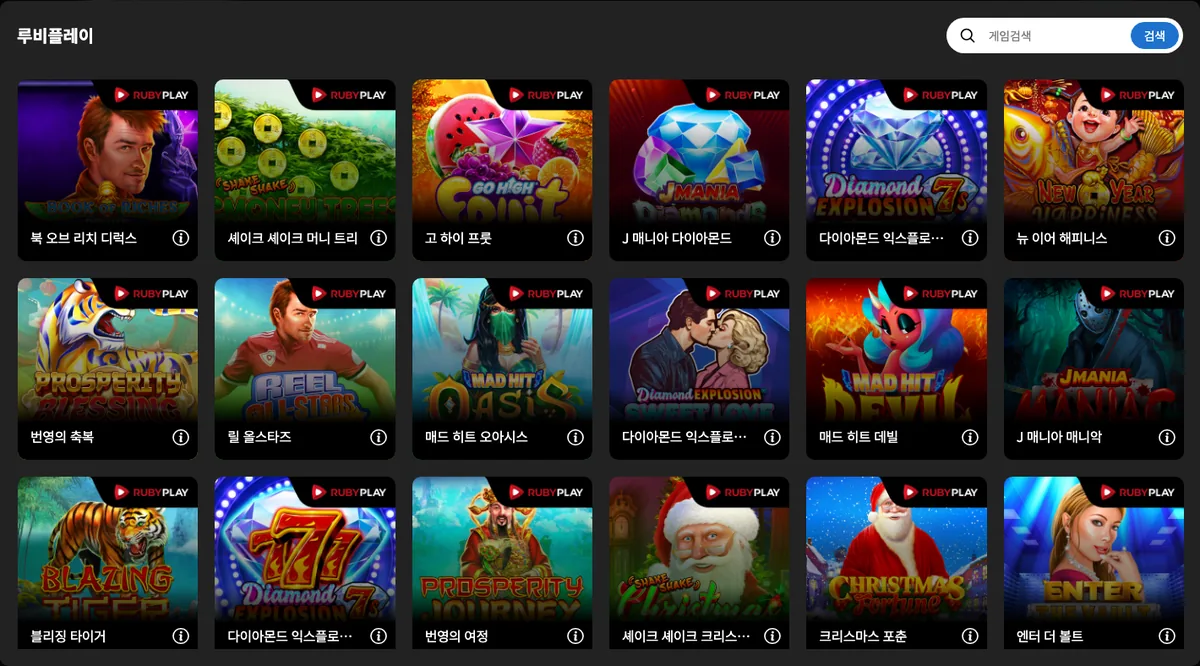
The 22nd card in the slots area of DINO's main lobby, labelled 루비플레이, leads to RubyPlay's game list, and while logged out it already shows 154 titles with a search box. RubyPlay is a B2B iGaming company with its address in Il-Gżira, Malta, and describes its own structure as a layered content ecosystem in which several market-focused studios share technology and distribution. Starting a game requires a DINO login.
- 22nd card in the slots area; 154 games in the logged-out list
- Official series names J Mania, Mad Hit, Diamond Explosion and Go High reappear in DINO's Korean list
- Official site highlights the Immortal Ways engine and bespoke games for operators
Content seen on DINO: 북 오브 리치 디럭스 (Book Of Riches Deluxe) · 셰이크 셰이크 머니 트리 (Shake Shake Money Tree) · 고 하이 프룻 (Go High Fruit) · J 매니아 다이아몬드 (J Mania Diamonds) · 다이아몬드 익스플로전 7초 스페셜 에디션 (Diamond Explosion 7s Special Edition) … (154 games seen in DINO's game list (logged out))
23. Booming Games – Booming Games: 106 weekly-release slots
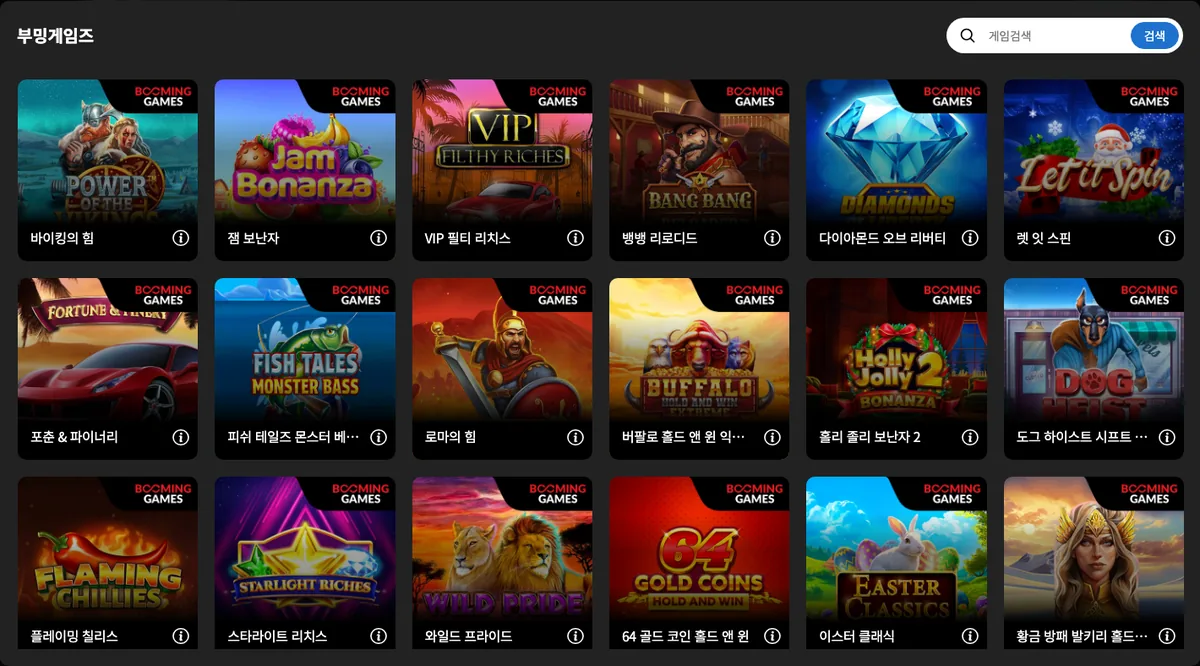
Booming Games is a B2B video slot developer whose legal entity, Booming Games (Malta) Limited, is based in Birkirkara, Malta; its site says the games are built mobile-first on an in-house RGS and that new titles ship weekly. In DINO's main lobby it appears as the 23rd slot card, labelled 부밍게임즈, and pressing that card while logged out opens a list window holding 106 games.
- 23rd card in the slots area; 106 games in the logged-out list
- Official site describes an in-house RGS, mobile-first design and weekly releases
- MGA B2B licence and UK Gambling Commission account number published on the site
Content seen on DINO: 바이킹의 힘 (Power of the Vikings) · 잼 보난자 (Jam Bonanza) · VIP 필티 리치스 (VIP Filthy Riches) · 뱅뱅 리로디드 (Bang Bang Reloaded) · 다이아몬드 오브 리버티 (Diamonds of Liberty) … (106 games seen in DINO's game list (logged out))
24. Thunderkick – Thunderkick: 100 Stockholm-made slots
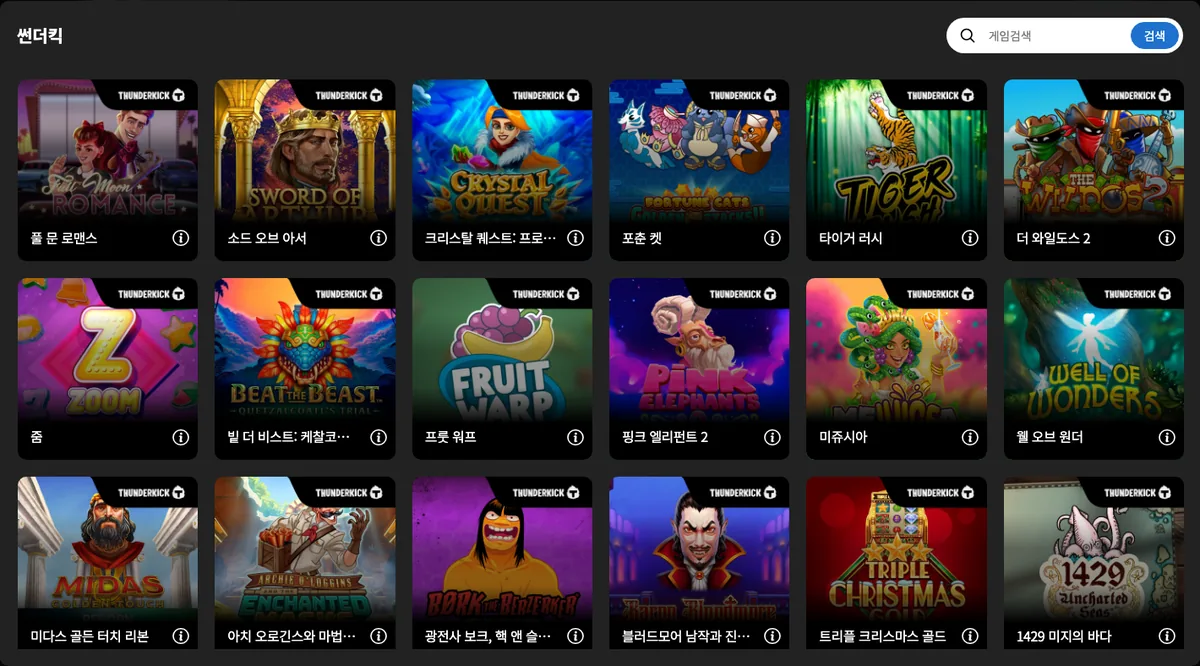
Thunderkick is an independent slot studio founded in Stockholm, Sweden, in 2012, and its official site states that every game is designed and developed in-house. In DINO's main lobby it is the 24th card in the slots area, labelled 썬더킥, and pressing the card while logged out opens a list window of 100 games with a search box. Login is required to launch a game.
- 24th card in the slots area; 100 games in the logged-out list
- Founded in Stockholm in 2012; all games developed in-house per the official site
- MeJUICEa from the official catalogue appears in DINO's list as 미쥬시아
Content seen on DINO: 풀 문 로맨스 (Full Moon Romance) · 소드 오브 아서 (Sword of Arthur) · 크리스탈 퀘스트: 프로스트랜드 (Crystal Quest: Frostlands) · 포춘 켓 (Fortune Cats) · 타이거 러시 (Tiger Rush) … (100 games seen in DINO's game list (logged out))
25. FA CHAI Gaming – FA CHAI: 67 slots and arcade games
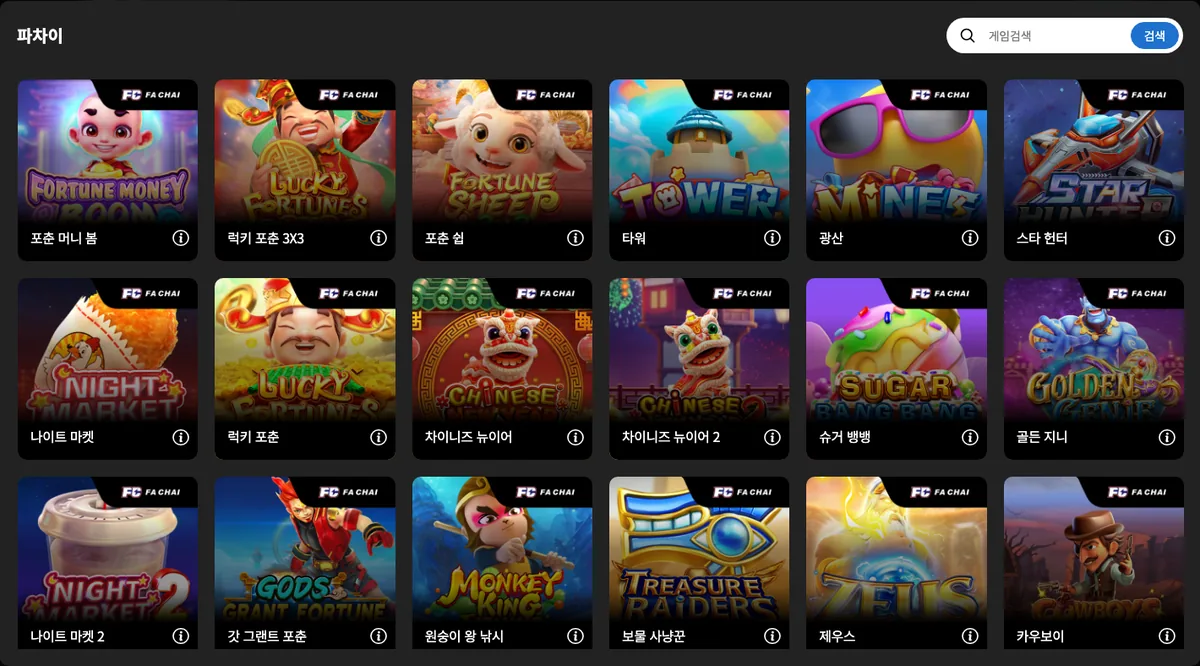
FA CHAI Gaming is a game developer established in 2019 whose official site covers slots as well as 3D fishing games, arcade games such as Coin Dozer, and table games. In DINO's main lobby it is the 25th card in the slots area, labelled 파차이, and pressing the card while logged out opens a list window of 67 games. Login is required to launch any of them.
- 25th card in the slots area; 67 games in the logged-out list
- Founded in 2019; official site covers slots, 3D fishing, arcade and table games
- DINO's list mixes titles translated into Korean words, such as 타워 and 광산, with entries that show no paylines
Content seen on DINO: 포춘 머니 봄 (Fortune Money Boom) · 럭키 포춘 3x3 (Lucky Fortunes 3x3) · 포춘 쉽 (Fortune Sheep) · 타워 (Tower) · 광산 (Mines) … (67 games seen in DINO's game list (logged out))
26. AvatarUX – AvatarUX: 65 games in the Pop series
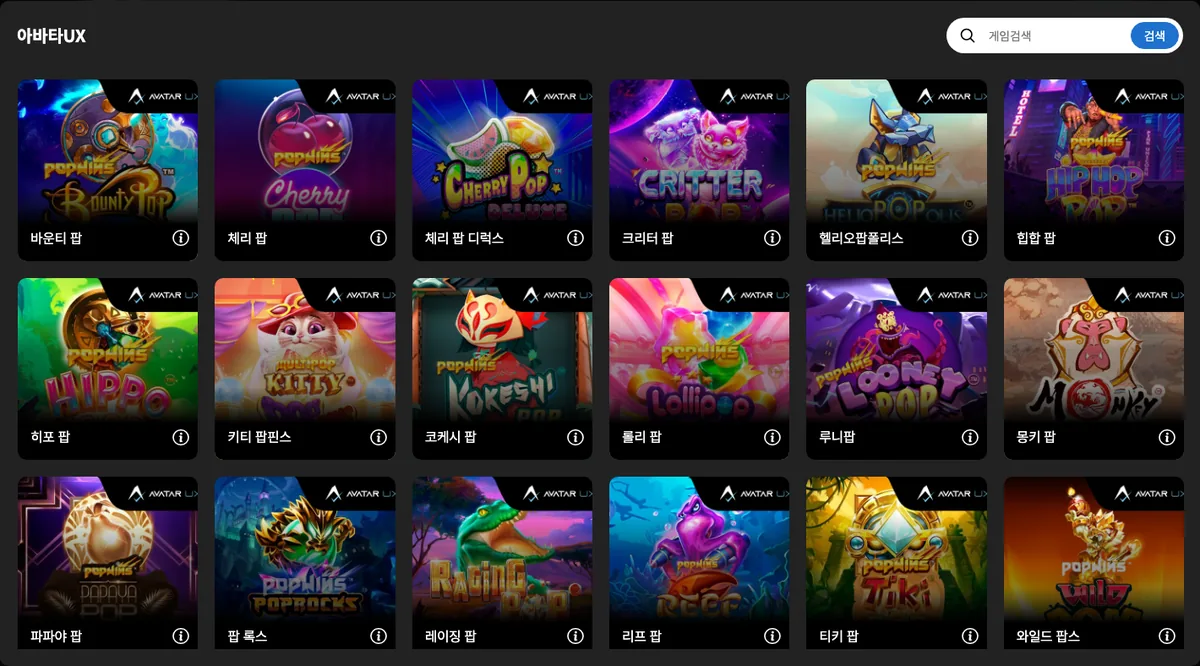
AvatarUX is a slot studio built around proprietary mechanics such as PopWins, MultiPop, StickyPop and ZapReel, with offices in Birkirkara (Malta), Krakow (Poland) and Noida (India). In DINO's main lobby it is the 26th card in the slots area, labelled 아바타UX, and pressing the card while logged out opens a list window of 65 games beginning with Bounty Pop. Games launch only after login.
- 26th card in the slots area; 65 games in the logged-out list
- Official site presents PopWins and other in-house mechanics plus an RGS launched in 2021
- Titles ending in 팝 such as Cherry Pop and Monkey Pop fill the front of DINO's list
Content seen on DINO: 바운티 팝 (Bounty Pop) · 체리 팝 (Cherry Pop) · 체리 팝 디럭스 (Cherry Pop Deluxe) · 크리터 팝 (Critter Pop) · 헬리오팝폴리스 (HelioPOPolis) … (65 games seen in DINO's game list (logged out))
27. Amigo Gaming – Amigo Gaming: 117 Barcelona-made slots
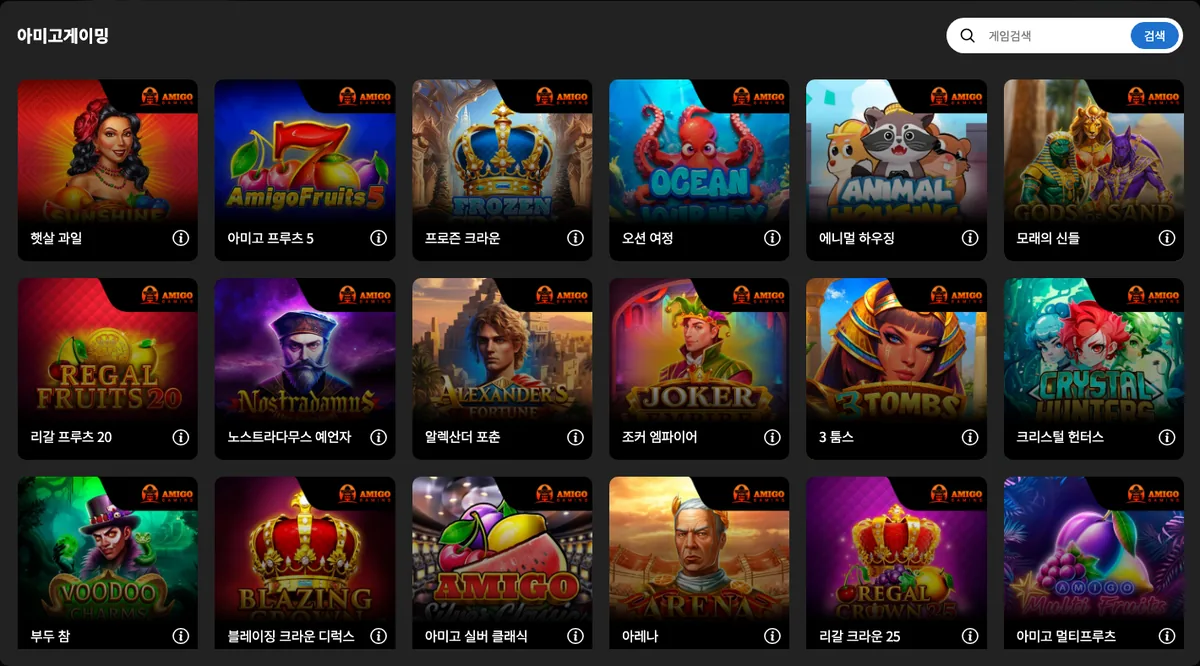
Amigo Gaming is an online slot developer based in Barcelona, Spain, that supplies HTML5 slots to operators and aggregators and, according to its site, adds roughly four titles a month to a catalogue of more than 100. In DINO's main lobby it is the 27th card in the slots area, labelled 아미고게이밍, and pressing the card while logged out opens a list window of 117 games. Playing requires login.
- 27th card in the slots area; 117 games in the logged-out list
- Barcelona-based; official site cites over 100 HTML5 slots and about four releases a month
- Many DINO titles, such as 햇살 과일 and 모래의 신들, are translated into Korean words
Content seen on DINO: 햇살 과일 (Sunshine fruits) · 아미고 프루츠 5 (Amigo Fruits 5) · 프로즌 크라운 (Frozen Crown) · 오션 여정 (Ocean Journey) · 에니멀 하우징 (Animal Housing) … (117 games seen in DINO's game list (logged out))
28. Million Games – Million Games: 21 slots and table games
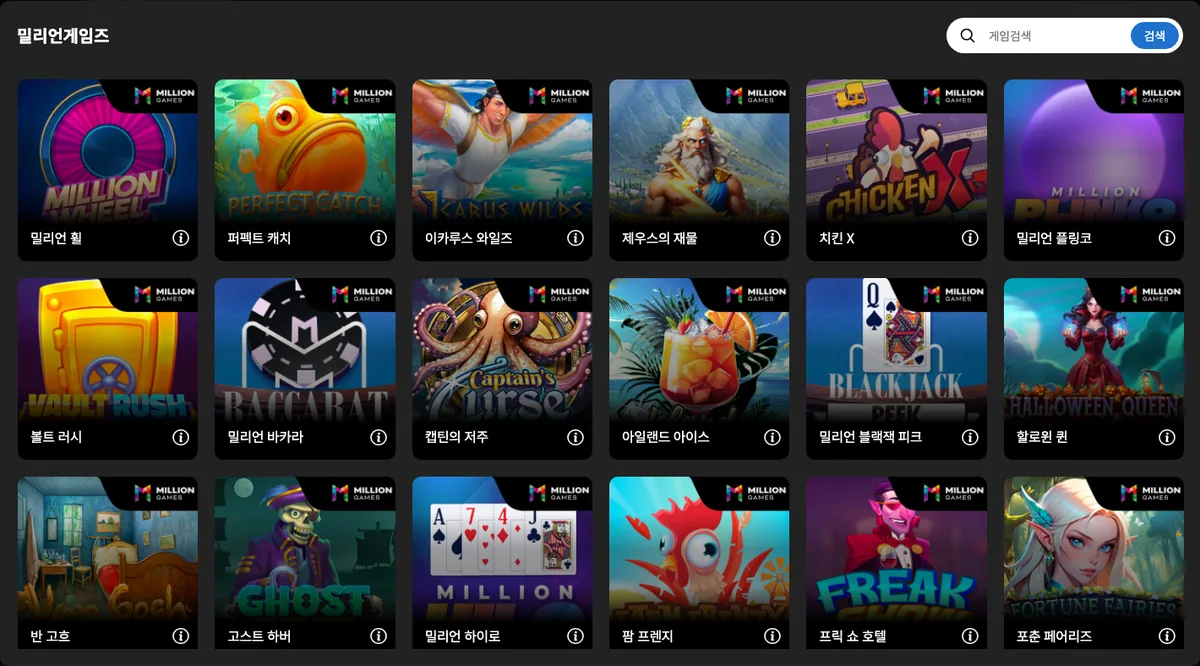
Million Games is a game studio in Skövde, Sweden, that develops its own slots, crash games and table games and identifies itself in its footer as a KONG Entertainment company. In DINO's main lobby it is the 28th card in the slots area, labelled 밀리언게임즈, and pressing the card while logged out opens a list window of 21 games, the smallest count among the providers covered here.
- 28th card in the slots area; 21 games in the logged-out list, the fewest in this batch
- KONG Entertainment studio located in Skövde, developing its own slots, crash and table games
- Million Baccarat, Million Blackjack Peek and Million Plinko appear in DINO's list next to the slots
Content seen on DINO: 밀리언 휠 (Million Wheel) · 퍼펙트 캐치 (Perfect Catch) · 이카루스 와일즈 (Icarus Wilds) · 제우스의 재물 (Riches of Zeus) · 치킨 X (Chicken X) … (21 games seen in DINO's game list (logged out))
29. Tom Horn Gaming – Tom Horn Gaming: 97 games, many numbered
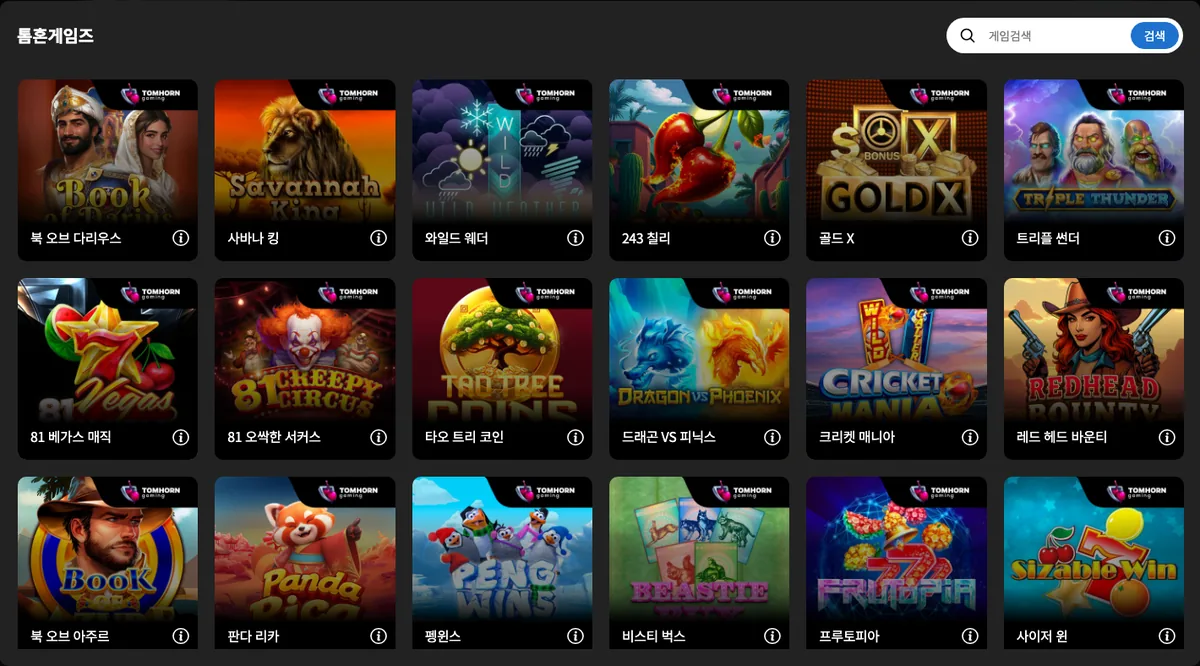
Tom Horn Gaming is an iGaming software supplier whose origins go back to 2006, starting in a small office in Bratislava, Slovakia, and now registered in Birkirkara, Malta. In DINO's main lobby it is the 29th card in the slots area, labelled 톰혼게임즈, and pressing the card while logged out opens a list window of 97 games. Launching a game requires login.
- 29th card in the slots area; 97 games in the logged-out list
- Origins in Bratislava in 2006; now a Malta entity with offices in four countries
- Several DINO titles start with a number, such as 243 Chili and 81 Vegas Magic
Content seen on DINO: 북 오브 다리우스 (Book of Darius) · 사바나 킹 (Savannah King) · 와일드 웨더 (Wild Weather) · 243 칠리 (243 Chili) · 골드 x (Gold x) … (97 games seen in DINO's game list (logged out))
30. Peter & Sons – Peter & Sons card with 59 in-house slots
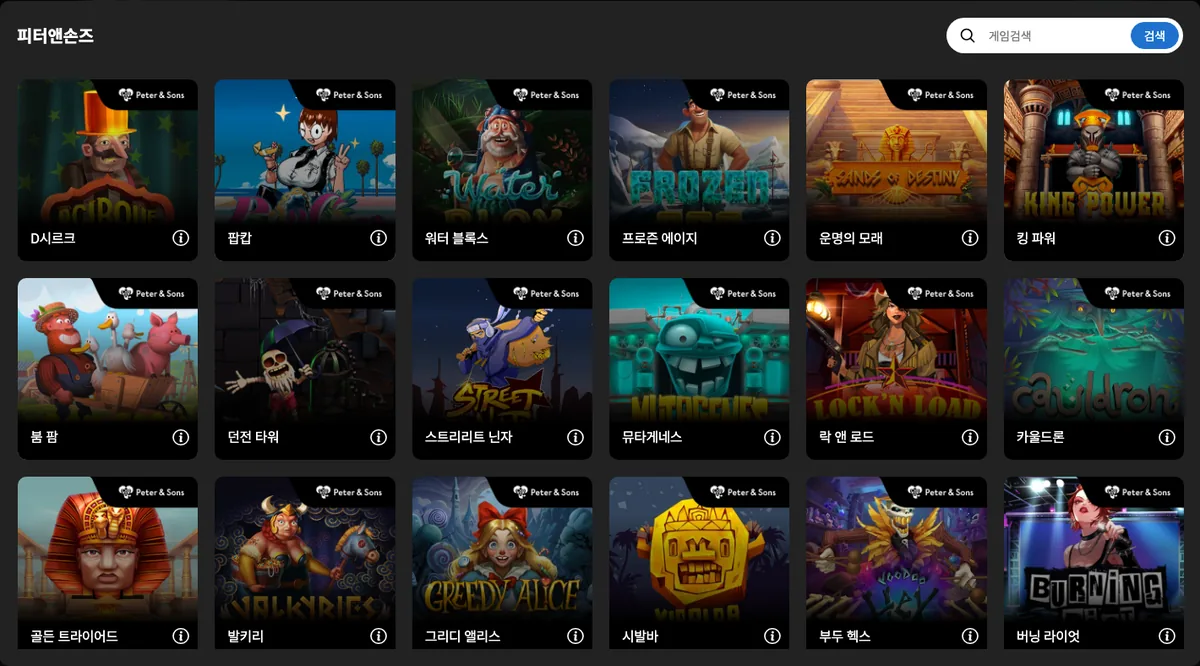
On DINO, Peter & Sons appears as the 30th card in the slot area, and clicking it while logged out opens a game-list modal holding 59 titles. Peter & Sons is an international game development studio founded in 2019 that produces art-driven slots, scratch cards and instant-win games entirely in-house for regulated markets. Launching any of the games requires a DINO login.
- 30th card in DINO's slot area; the list modal shows 59 games
- Studio founded in 2019 that makes slots, scratch cards and instant-win games in-house
- Sands of Destiny (운명의 모래) is listed with a 6X4 layout, 96.46% RTP and a 10,000x max win per DINO's game info
Content seen on DINO: D시르크 (DCirque) · 팝캅 (Pop Cop) · 워터 블록스 (Water Blox) · 프로즌 에이지 (Frozen Age) · 운명의 모래 (Sands of Destiny) … (59 games seen in DINO's game list (logged out))
31. Jade Rabbit Studio – The six-game Jade Rabbit Studio card
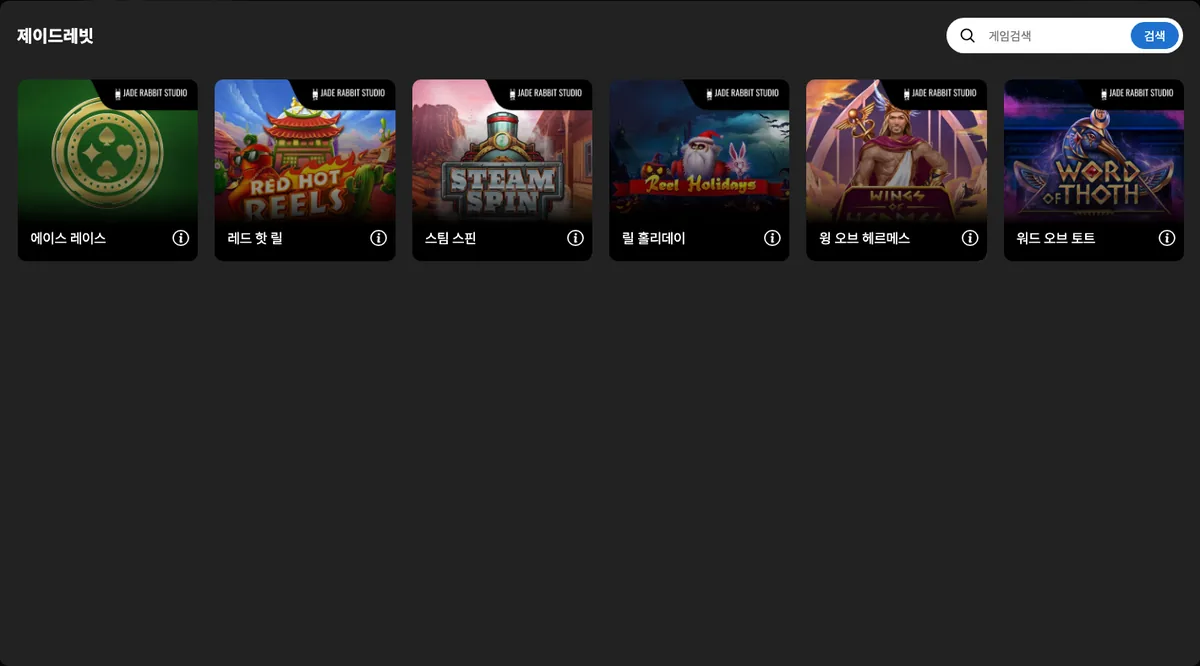
Jade Rabbit Studio is the 31st card in DINO's slot area, and opening it while logged out reveals a short game-list modal with just 6 titles. The studio was established in Attard, Malta in 2018 by two experienced slot developers and handles concept, math model, art direction and QA in-house for its mobile-friendly slots and card-style games. Playing anything from the list requires a DINO login.
- 31st card in DINO's slot area with a short list of 6 games
- Founded in Attard, Malta in 2018 by two slot developers
- Ace Race (에이스 레이스) is listed with 98% RTP, a 500x max win and paylines marked N/A per DINO's game info
Content seen on DINO: 에이스 레이스 (Ace Race) · 레드 핫 릴 (Red Hot Reels) · 스팀 스핀 (Steam Spin) · 릴 홀리데이 (Reel Holidays) · 윙 오브 헤르메스 (Wings of Hermes) … (6 games seen in DINO's game list (logged out))
32. NetGaming – NetGaming card with 58 responsive slots
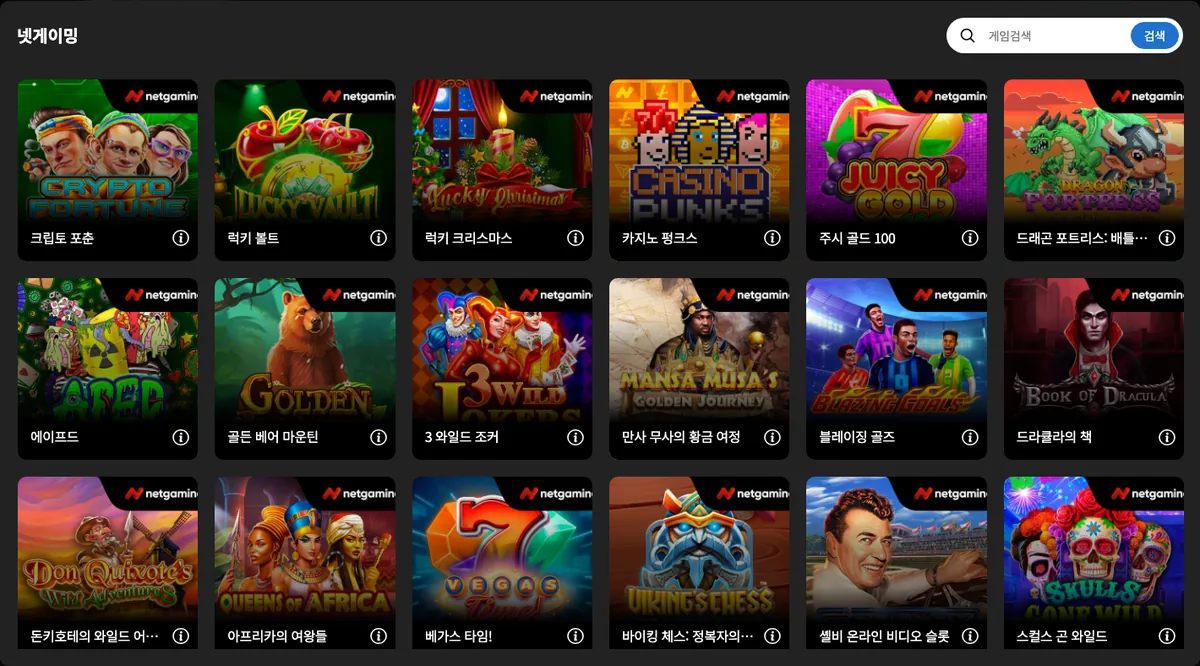
NetGaming is listed as the 32nd card in DINO's slot area, and clicking it while logged out opens a modal holding 58 games. NetGaming is a casino game studio operated by NG Entertainment Ltd, registered in Ta' Xbiex, Malta, that builds fully responsive online slots and branded titles on proprietary in-house technology for regulated markets in Europe and North America. A DINO login is needed before any game will launch.
- 32nd card in DINO's slot area; 58 games in the list modal
- Operated by NG Entertainment Ltd with a registered office in Ta' Xbiex, Malta
- Book of Dracula (드라큘라의 책) shows a 5X3 layout, 96.5% RTP and a 3,359x max win per DINO's game info
Content seen on DINO: 크립토 포춘 (Crypto Fortune) · 럭키 볼트 (Lucky Vault) · 럭키 크리스마스 (Lucky Christmas) · 카지노 펑크스 (Casino Punks) · 주시 골드 100 (Juicy Gold 100) … (58 games seen in DINO's game list (logged out))
33. Swintt – The nine-game Swintt card
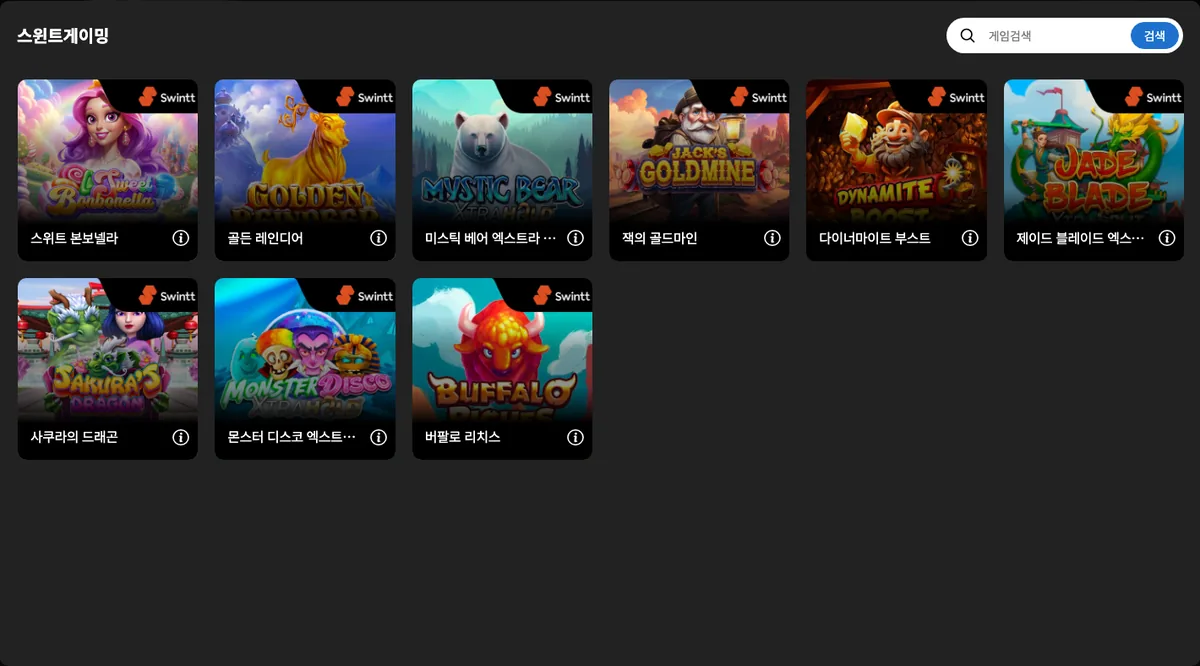
The 33rd card in DINO's slot area, labelled 스윈트게이밍, corresponds to the Swintt brand, and pressing it while logged out opens a list modal with 9 games. Swintt is a software developer established in Tigné Point, Malta in 2019 that supplies in-house slots in its SwinttPremium and SwinttSelect ranges, a Premium Live Dealer Casino product and third-party studio content through its SwinttStudios programme, and it acquired Elysium Studios in 2024. Launching a game requires a DINO login.
- 33rd card in DINO's slot area; the list modal holds 9 games
- Established in Tigné Point, Malta in 2019 with SwinttPremium and SwinttSelect slot ranges and a live dealer product
- Jack's Goldmine (잭의 골드마인) is listed with a 5X3 layout, 94.01% RTP and a 120,000x max win per DINO's game info
Content seen on DINO: 스위트 본보넬라 (Sweet Bonbonella) · 골든 레인디어 (Golden Reindeer) · 미스틱 베어 엑스트라 홀드 (Mystic Bear XtraHold) · 잭의 골드마인 (Jack's Goldmine) · 다이너마이트 부스트 (Dynamite Boost) … (9 games seen in DINO's game list (logged out))
34. Onlyplay – Onlyplay card opening a 125-game list
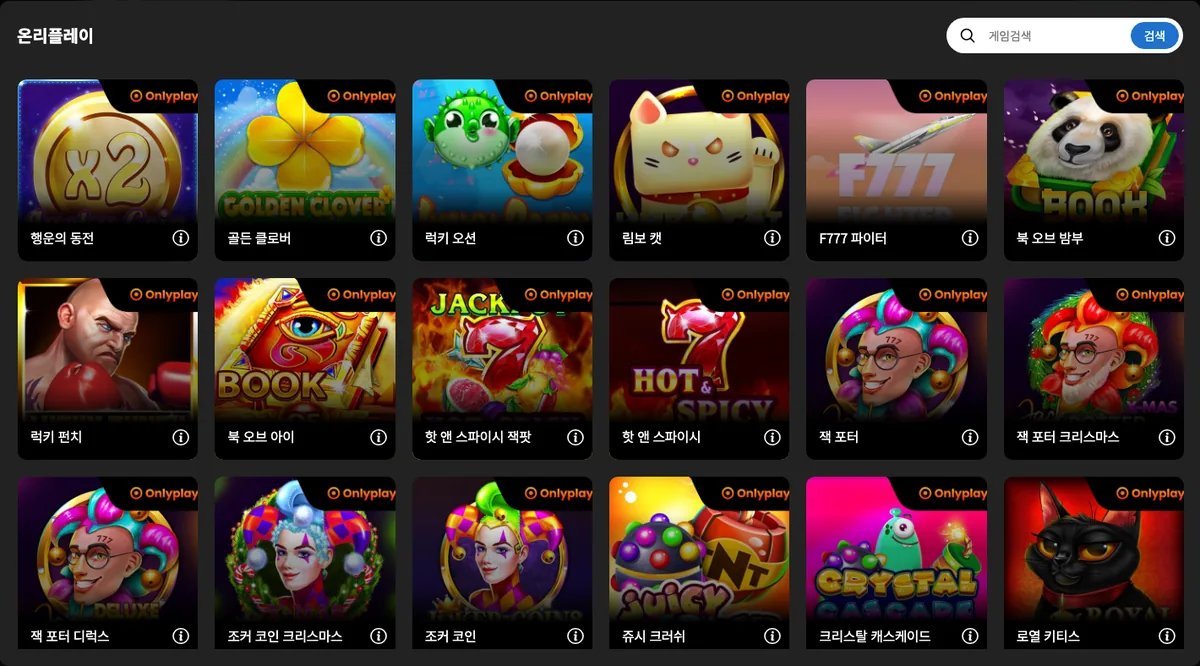
Onlyplay holds the 34th card in DINO's slot area, and clicking it while logged out opens a list modal running to 125 games. Onlyplay is a B2B iGaming provider that concentrates on four formats, Tap Games, instant win, crash and slots, and its official site cites 150 to 200+ games, 40+ localisations and more than 2,000 operators supplied. Starting a game from the list requires a DINO login.
- 34th card in DINO's slot area; 125 games in the list modal
- B2B provider concentrating on Tap Games, instant win, crash and slot formats with 40+ localisations
- Book of Eye (북 오브 아이) is listed with a 5X3 layout, 95.55% RTP and a 28,100x max win per DINO's game info
Content seen on DINO: 행운의 동전 (Lucky Coin) · 골든 클로버 (Golden Clover) · 럭키 오션 (Lucky Ocean) · 림보 캣 (Limbo Cat) · F777 파이터 (F777 Fighter) … (125 games seen in DINO's game list (logged out))
35. Naga Games – 59 games from Naga Games, founded 2022
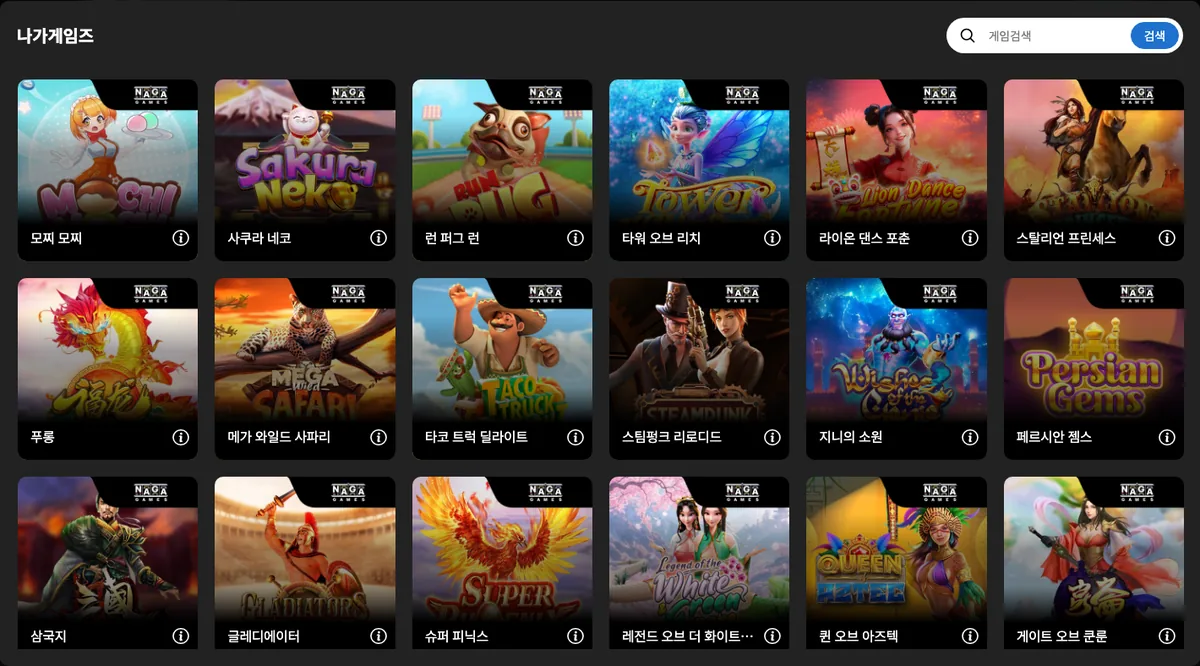
Naga Games is offered as the 35th card in DINO's slot area, and pressing it while logged out opens a list modal containing 59 games. Naga Games is a slot developer founded in Gżira, Malta in 2022 that combines math, art and gameplay in mobile-friendly slots with wilds, free spins, jackpots and bonus buys, and its site cites 64 certified games in 30 languages. Games launch only after a DINO login.
- 35th card in DINO's slot area; 59 games in the list modal
- Founded in Gżira, Malta in 2022; the official site cites 64 certified games in 30 languages
- Mochi Mochi (모찌 모찌) is listed with a 7X7 layout, 97.18% RTP and a 1,596x max win per DINO's game info
Content seen on DINO: 모찌 모찌 (Mochi Mochi) · 사쿠라 네코 (Sakura Neko) · 런 퍼그 런 (Run Pug Run) · 타워 오브 리치 (Tower of Riches) · 라이온 댄스 포춘 (Lion Dance Fortune) … (59 games seen in DINO's game list (logged out))
36. Fantasma Games – Fantasma Games: last slot card, 29 games
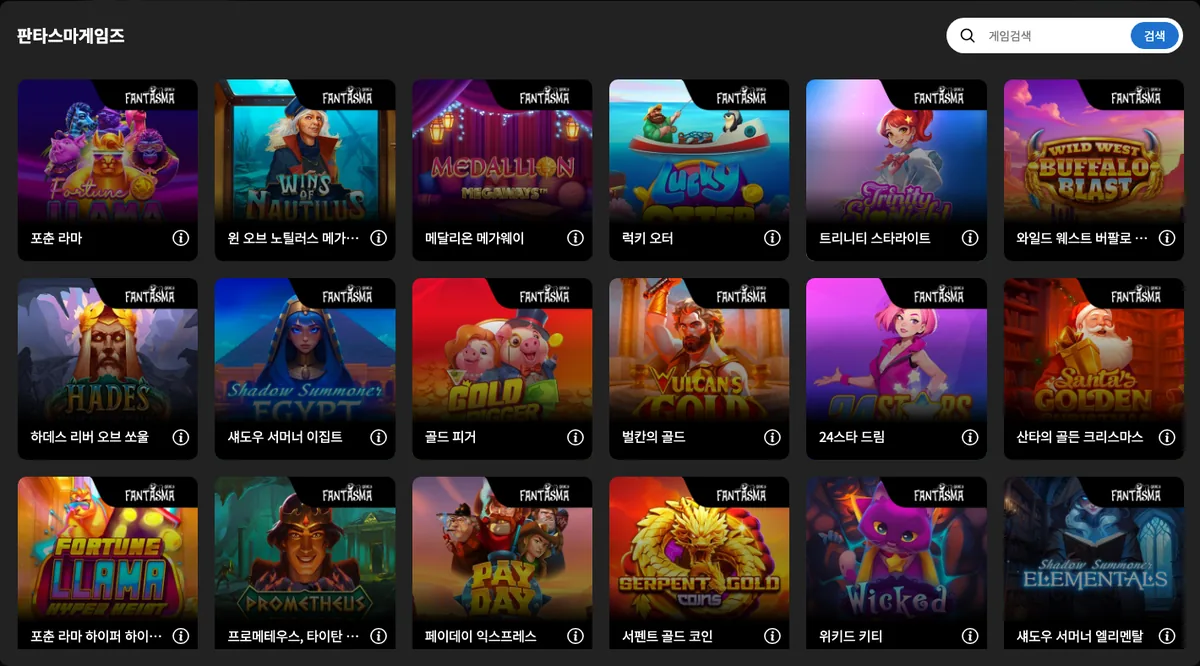
Fantasma Games is the 36th and final card in DINO's slot area, and pressing it while logged out opens a list modal holding 29 games. Fantasma Games is a Stockholm studio founded in 2016 by iGaming and video-game veterans, working to a vision of 'slots beyond gambling' with character-driven, one-handed mobile slots, and it has belonged to EveryMatrix since its acquisition in 2024. Games launch only after a DINO login.
- 36th and last card in DINO's slot area; 29 games in the list modal
- Founded in Stockholm in 2016 and part of EveryMatrix since 2024
- Wins of Nautilus Megaways (윈 오브 노틸러스 메가웨이) is listed with a 6X4 layout, 96.1% RTP and a 12,500x max win per DINO's game info
Content seen on DINO: 포춘 라마 (Fortune Llama) · 윈 오브 노틸러스 메가웨이 (Wins of Nautilus Megaways) · 메달리온 메가웨이 (Medallion Megaways) · 럭키 오터 (Lucky Otter) · 트리니티 스타라이트 (Trinity Starlight) … (29 games seen in DINO's game list (logged out))