
DINO sports betting runs: log in → [스포츠] tab on the main lobby → lobby card → match and odds → stake, with results under [베팅내역].
1. Log in and open the [스포츠] tab
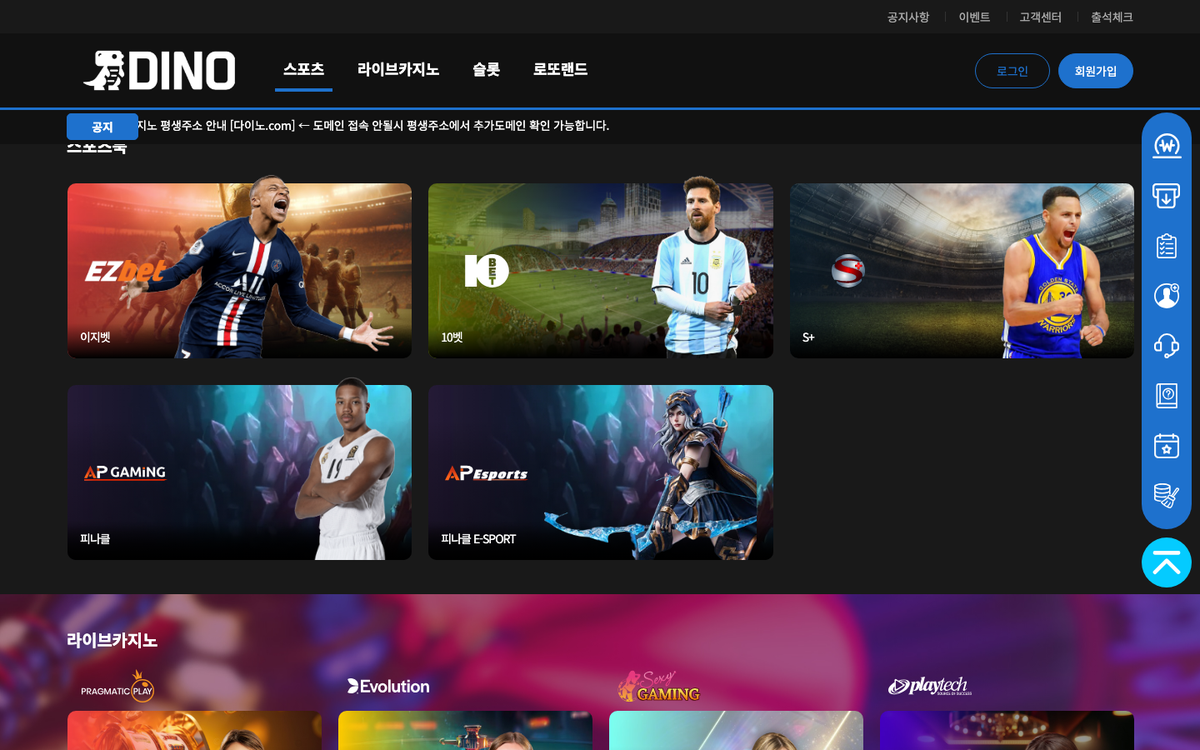 After logging in at dino-333.com or dino-222.com, the main lobby shows Sports, Live Casino, Slots and Lottoland tabs at the top. Press [스포츠] to jump to the sports area, where the EZBET, 10BET, S+, Pinnacle and Pinnacle E-SPORT cards appear.
2. Choose a lobby card
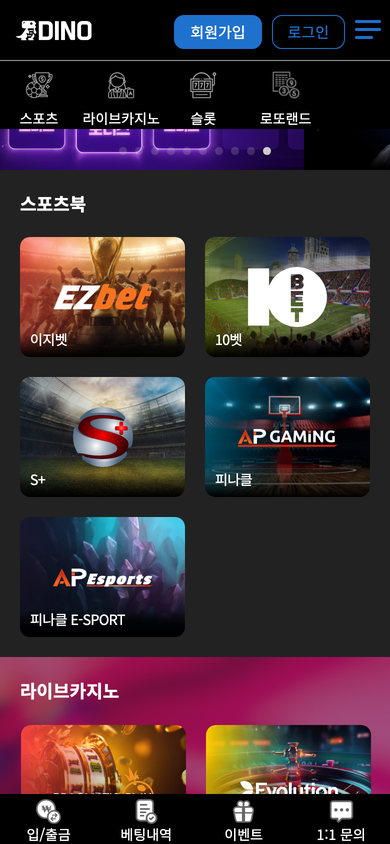 On mobile, tap [스포츠] in the icon menu to see the same lobby cards stacked vertically. Tapping a card opens that sportsbook; first-timers should read the lobby introduction (for example the 10BET guide) under the guide's [스포츠] tab first.
3. Pick a match, odds and bet
Inside the lobby, choose the sport and match, select the odds and enter your stake to place the bet. If your balance is short, deposit first via [입금신청] (Deposit request) in the top menu.
Bet results and settlements are listed under [베팅내역] in the top menu (login required).
4. Betting limits, closing time, banned leagues and cancellation (logged-in notices, 2026-09-19)
The sports betting rules notice and the Sports tab of the betting rules set ₩20,000,000 maximum per parlay, ₩10,000,000 per single bet and ₩100,000,000 maximum payout, no limit on the number of legs, and betting closes one minute before kick-off. Bets can only be cancelled through the Cash-Out function; manual cancellation requests are not approved.
Leagues of China, the Philippines, India, Malaysia and Lithuania (every sport of those countries) are banned; winnings on them are confiscated. After receiving first- or re-deposit points, single bets, live bets and Pinnacle bets are restricted until the rolling is met.
DINO's own over/under guide names the four lobbies EZBET, S+, 10BET and PINNACLE. After login, the 10BET and EZBET lobbies load pages on the bti-sports.io domain and the S+ lobby on 442hattrick.com, while the Pinnacle lobby loads from a bare IP host, so no link to the pinnacle.com domain could be confirmed.
DINO's user guide (Support → User guide) has a lobby selector under the [스포츠] tab that shows each lobby's introduction and game screen, such as the 10BET guide.
1. The guide's [스포츠] tab
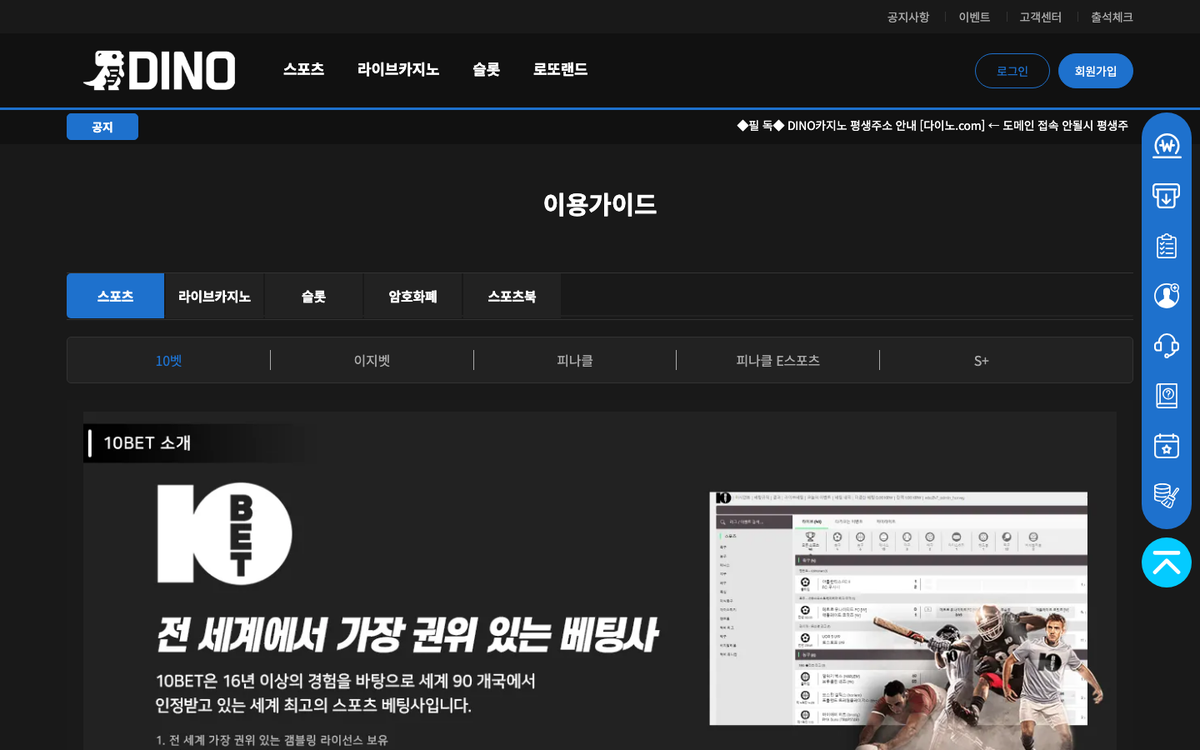 Open the [이용 가이드] card on the support page or Support → 이용가이드 in the footer to find the Sports, Live Casino, Slots, Crypto and Sportsbook tabs. Under [스포츠], choosing a lobby shows its introduction text and game screen capture.
2. What each lobby is
- EZBET · 10BET · S+: the three left-hand cards in the sports area, each opening a separate sportsbook screen.
- Pinnacle: the fourth card; its introduction is under the guide's Sports tab.
- Pinnacle E-SPORT: the e-sports lobby, fifth card.
3. If something goes wrong
- If a lobby will not open, check that you are logged in; sports lobbies require login.
- For bet acceptance or settlement questions, contact Telegram @DINO_CS (24h) or use [1:1 문의] at the bottom of the site.
- [Important] notices show their details after login.
DINO sportsbook providers
The four supplying brands in the sportsbook area of the main lobby (EZBET, 10BET, S+, Pinnacle), in lobby order. There are five entry cards; the Pinnacle E-SPORT card is covered under Pinnacle. Each provider page shows real screens and features.
1. EZBet – EZBet, first in the sportsbook row

EZBet is the first card in the sportsbook area of the DINO main lobby. Pressing the card while logged out leads to the login screen, and the sports lobby opens only after login. Beyond the EZbet wordmark on the card, no official source for the company behind the name was verified.
- Lobby position 1 in the DINO sportsbook area
- Click leads to the login screen while logged out
- Wordmark on the card: EZbet; Korean label: 이지벳
2. 10bet – 10bet's regional sportsbooks on DINO

10bet describes itself as a global online sports betting and casino brand that entered the industry in 2003 and has built its own betting products and technology since 2019. On DINO it appears as the 10벳 card in the sportsbook area of the main lobby; pressing the card while logged out leads to the login screen, and the lobby opens after login.
- Started in 2003 and developing its own platform since 2019, per the official site
- Region-tailored sportsbooks run from hubs in Europe, Africa and Latin America
- Lobby position 3 in the DINO sportsbook area; click leads to login
3. S+ – What the S+ card shows

S+ is a card marked simply S+ in the sportsbook area of the DINO main lobby, third in lobby order. Pressing it while logged out moves to the login screen and the lobby opens after login, so no sports list is visible beforehand. No official site for the supplier behind this mark was verified.
- Lobby position 4 in the DINO sportsbook area, third card in the first row
- Both the logo and the label read S+
- Click leads to the login screen; no game-list window
4. Pinnacle – The Pinnacle card and its AP GAMING logo

Pinnacle presents itself as an online sportsbook operating since 1998, with live betting, esports betting and casino products alongside its sports markets. In the sportsbook area of the DINO main lobby it appears as a card labelled 피나클; pressing it while logged out leads to the login screen, and the lobby opens after login. The card carries an AP GAMING logo rather than a Pinnacle one, and neither company's official site confirms any relationship between the two.
- Online sportsbook operating since 1998, per the official site
- First esports bet in 2010; Pinnacle Cup and Esports Hub launched in 2021
- Lobby position 5 in the DINO sportsbook area, with an AP GAMING logo on the card